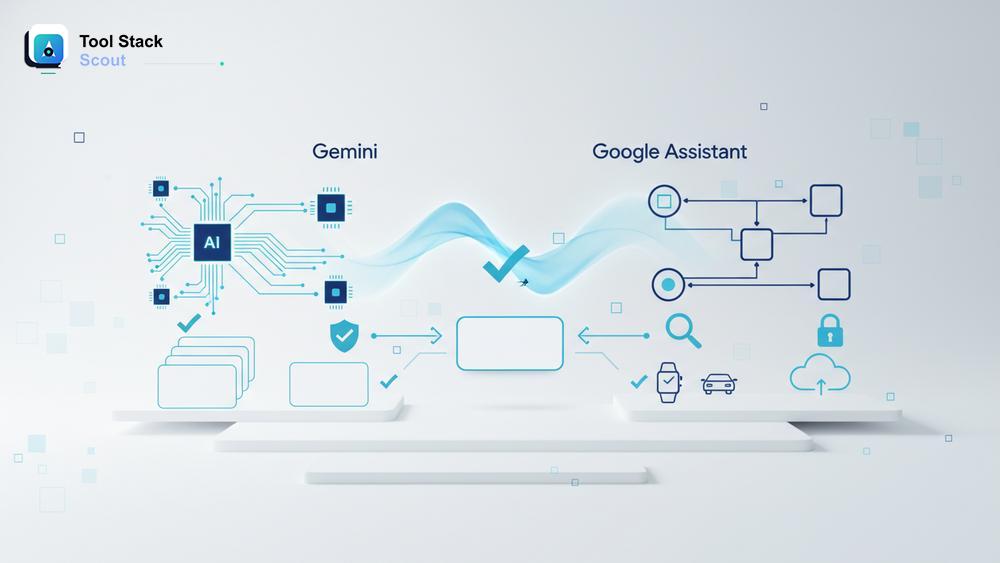
Google now ships two very different voice helpers under the same roof, and most readers asking about gemini vs google assistant just want a clear answer: which one should I actually use on my phone, my watch, my car, and my smart speakers? The short version is that Gemini is a generative AI assistant built for conversation, reasoning, and multi-step tasks, while Google Assistant is the older, command-driven helper that still anchors millions of smart-home routines and quick voice actions.
This guide compares both side by side: what they do well, where they fall short, how they behave on Android, Wear OS, and Android Auto, and what Google’s ongoing transition means for the buttons, routines, and habits you already rely on. The goal isn’t to crown a winner in the abstract. It’s to help you choose the right helper for the way you actually use your devices.
Gemini Vs Google Assistant
Gemini is Google’s generative AI assistant, built for natural conversation, reasoning, drafting, and multi-step workflows that connect to Gmail, Docs, Maps, and other Google apps. Google Assistant is the older command-driven helper, still the most reliable choice for fast voice commands, smart-home routines, timers, and quick lookups across phones, speakers, and displays.
Introduction to Gemini and Google Assistant
Before comparing the two, it helps to understand what each product is designed to do. They share a brand, a sign-in flow, and a lot of underlying Google services, but they were built for different eras of voice computing and they behave that way in daily use.
What Is Google Assistant?
Google Assistant launched in 2016 as a voice-first helper for phones, smart speakers, and displays. It’s a command-and-response system: you say “Hey Google,” ask a defined question or trigger a known action, and Assistant returns a short answer or completes a task. Over the years it became the connective tissue for Google Home and Nest devices, third-party smart-home gear, Routines, broadcasts to speakers, alarms, timers, navigation in Android Auto, and quick lookups on Wear OS watches. Its strengths are speed, reliability for short commands, and broad device support.
If you want to compare Google’s voice helper against the broader smart-speaker field, our guide to virtual assistants like Alexa is a useful next stop.
What Is Gemini?
Gemini is Google’s generative AI assistant, built on the Gemini family of large multimodal models. Instead of matching commands to a fixed list of skills, it understands open-ended prompts, holds a back-and-forth conversation, reads images, summarizes documents, drafts text, and chains actions across Google apps. On modern Android phones, Gemini can replace the long-press launcher that used to call Assistant. It’s also available as a standalone app, on the web, inside Workspace, and increasingly on Pixel watches, Android Auto, and other surfaces. The trade-off is that it leans on cloud reasoning, so it can feel slower than Assistant for simple “turn on the kitchen lights” requests.
| Criteria | Gemini | Google Assistant | Quick verdict |
|---|---|---|---|
| Best for | People who want a conversational AI to draft, summarize, plan, and reason across Gmail, Docs, Calendar, and the web. | People who rely on fast voice commands, smart-home routines, timers, music, and quick navigation on speakers, displays, and watches. | Choose Gemini if you mostly type or speak in full sentences; choose Assistant if your voice use is short, repetitive commands. |
| Core use case | Open-ended questions, multi-step tasks, writing and editing, image and document understanding, brainstorming, app actions inside Google Workspace. | Smart-home control, alarms and timers, music and podcasts, hands-free navigation, broadcasts, Routines, and short factual lookups. | Gemini is a thinking partner; Assistant is a fast remote control for your devices. |
| Strengths | Strong reasoning, longer context windows, multimodal input, deep integration with Workspace, and richer follow-up conversations. | Low latency, reliable hotword detection, deep smart-home and routine support, broad device coverage, predictable behavior. | Gemini wins on intelligence; Assistant wins on speed and dependability for simple actions. |
| Limitations | Slower for trivial commands, occasional hallucinations, fewer mature smart-home and Routine controls, uneven Wear OS and Auto parity. | Limited reasoning, weaker at multi-step or context-heavy questions, and steadily losing feature parity as Google shifts investment to Gemini. | Check whether your must-have routines, broadcasts, and watch features are supported before fully switching. |
| Best decision rule | Pick Gemini if you regularly ask “help me draft,” “summarize this,” or “plan my week,” and you want one assistant across Android, web, and Workspace. | Pick Assistant if your day revolves around lights, locks, thermostats, kitchen timers, and quick “play this on the speaker” commands. | Many users will end up using both: Gemini as the default assistant on the phone, Assistant on speakers and smart-home devices. |
Gemini vs Google Assistant: A Detailed Feature Comparison
The two helpers can feel similar from the lock screen, but their underlying design leads to very different behavior under load. Below is how they compare across the areas that matter most: handling tasks, working across Google’s hardware lineup, and dealing with context.
Task Handling: Simple Commands vs Complex Requests
Google Assistant is hard to beat for short, well-defined actions. Saying “set a timer for 12 minutes,” “play the morning news,” or “turn off the bedroom lights” works almost instantly, even on older phones and entry-level speakers. Because Assistant uses a structured intent system, it rarely gets confused on these jobs and recovers gracefully when it misses.
Gemini changes the equation as soon as the request gets longer or fuzzier. Ask it to “summarize this PDF, pull out the action items, and draft a reply to the project owner,” and it can run the chain end to end. The same is true for travel planning, research, code snippets, recipe adaptations based on what’s in your fridge, or rewriting a paragraph in a different tone. Gemini also tends to ask better follow-up questions, so a vague prompt still lands in the right place. The cost is latency and, occasionally, confidently wrong answers — which is why Assistant still feels safer for time-critical commands.
Performance Across Platforms: Wear OS, Android Auto, and Smart Home
This is where many readers asking about google assistant vs gemini get tripped up, because parity is uneven across surfaces. On modern Pixel and Samsung phones, Gemini is now the default and the experience is the most complete: voice, text, image input, and app actions all work together. On Wear OS watches, Gemini has been rolling out gradually, but Assistant remains the more battle-tested option for quick wrist commands such as starting a workout, replying to a notification, or controlling music — and on older watches, it may still be the only option that works locally enough to feel responsive.
Android Auto sits in the middle. Gemini brings better natural-language navigation, message dictation, and “find me a charging stop with a bathroom and coffee” style queries. Assistant still wins on consistency for the basics: calling a contact, starting a playlist, or sending a templated message while you’re driving. For smart-home control, Google Home and Nest still route through Assistant for many actions, and complex Routines built up over years generally keep working under Assistant before they’re fully replicated for Gemini.
AI Capabilities and Contextual Understanding
Gemini’s biggest advantage is context. It can remember earlier turns in a conversation, accept screenshots, photos, or PDFs, and reason about what you’re looking at on screen. That makes it genuinely useful for tasks like comparing two product pages, explaining an error message, or rewriting an email thread. It also plugs into Workspace, so it can pull from Gmail, Drive, and Calendar with your permission, which is something Assistant was never designed to do at the same depth.
Google Assistant handles context in a much narrower way. It can follow a one-step “and what about tomorrow?” after a weather query, but it’s not built to reason across documents, images, or long instructions. For people choosing a stack of AI Tools for daily use, Gemini is the helper that fits next to a writing app, a notes app, and a search tool. Assistant fits next to a smart speaker, a thermostat, and a car.
User Experience in Real Use
Specs only go so far. What actually matters is how each helper feels after a week of using it on your own devices, with your own habits and your own smart-home setup.
Interface and Ease of Use
Google Assistant’s interface is deliberately minimal: a short answer card, a few suggested follow-ups, and a quick path back to whatever you were doing. That simplicity is part of why it works so well on speakers, watches, and car displays where you don’t want to read much.
Gemini behaves more like a chat app. You get a scrollable conversation, the ability to edit prompts, attach files, and pin useful threads. On the phone, the experience is closer to working with a chatbot than triggering a voice command, which is exactly what some users want and exactly what frustrates others. If you mostly use voice while your hands are busy, the longer, more verbose Gemini responses can feel like overkill. If you use the assistant as a thinking tool, the chat interface is a clear upgrade.
Community Feedback and Real-World Reviews
Across Android forums, subreddits, and tech YouTube, the pattern in community feedback is fairly consistent. Power users tend to praise Gemini for writing help, research, and Workspace tasks while complaining about regressions in routines, broadcasts, and smart-home reliability when their devices switched defaults. Smart-home enthusiasts and accessibility-focused users often lean toward keeping Assistant active where possible, because the behavior is predictable and quick.
Newer Android users picking up a phone in 2026 generally find Gemini intuitive because it works like the AI chat tools they already use. The friction shows up most for long-time Google Home households who built years of automations on top of Assistant. None of this means one product is “bad” — it means the switch is real and uneven, and your experience will depend on which features you’ve come to rely on.
The Future of Gemini and Google Assistant
Google has been signaling for some time that Gemini is the future of its consumer assistant strategy. That doesn’t mean Assistant disappears tomorrow, but it does change how you should plan the next year or two of devices and habits.
Is Google Replacing Assistant With Gemini?
On modern Android phones, Gemini has effectively become the default voice helper for many users, with Assistant offered as a fallback or for specific surfaces. Google has been migrating features rather than flipping a switch — some Routines, alarms, broadcasts, and smart-home commands have moved over, while others still run through the original Assistant stack underneath. For speakers, displays, and older watches, Assistant continues to do the heavy lifting, although Google has indicated that more of those surfaces will get Gemini over time.
For buyers, the practical takeaway is simple: if you’re choosing a new Android phone, Pixel watch, or car infotainment setup, you’re effectively choosing into Gemini. If you’re investing in smart-home hardware today, expect a hybrid experience for a while where some commands feel modern and some feel like 2019.
Upcoming Updates and What to Expect
The reasonable forecast — based on Google’s direction rather than any single announcement — is that Gemini will keep absorbing the most-used Assistant features (Routines, broadcasts, deeper smart-home control, hands-free driving commands) while gaining new ones around multimodal input, on-device models, and tighter Workspace integration. Assistant is likely to stick around longest on legacy hardware and in regions or languages where Gemini hasn’t fully rolled out. If you’re planning a multi-year stack, build with that direction in mind: prioritize devices and routines that work well under both, and avoid leaning hard on Assistant-only features that may be deprecated.
Conclusion: Should You Choose Gemini or Google Assistant?
For most readers comparing gemini vs google assistant, the honest answer is that you don’t have to pick just one. Use Gemini where its strengths matter — on your phone, in Workspace, for writing, research, and multi-step thinking. Keep Assistant active where it still does the job better, especially across older speakers, watches, smart-home routines, and quick in-car commands. As Google continues to migrate features, recheck your setup every few months and retire workflows that depend on features being phased out.
If you’re building a fresh stack from scratch in 2026, lean Gemini-first and treat Assistant as a backstop. If you have years of Google Home automations and a household that relies on them, hold the line on Assistant for now and add Gemini for the tasks where its reasoning genuinely helps. Either way, you’ll get a clearer picture by running both on your real workflow for a week, not by reading one more spec sheet. For independent buying guides on assistants, AI writing tools, and the broader software stack, Tool Stack Scout keeps tracking how these decisions hold up over time.