ai face swap software helps you replace one face with another in a photo or video using face detection, face alignment, and AI blending. Best choice depends less on brand hype and more on output type: quick photo swaps, short social videos, mobile memes, or advanced desktop control.
For most beginners, online face swap tools are best starting point because upload-and-swap workflow is fast. Creators who work with clips should prioritize video face swap quality, tracking, and export options. Technical users who want more control should look at desktop or open-source tools, even if setup takes longer.
This guide from Tool Stack Scout compares practical AI face swap options by workflow, device, use case, and trade-off. If your broader goal is building or evaluating AI-assisted creation systems, our guide to AI coding tools may also help with adjacent automation choices.
Ai Face Swap Software
Best AI face swap software depends on whether you need fast photo edits, realistic video swaps, mobile social content, or desktop control. Start with online tools for speed, mobile apps for casual sharing, and desktop or open-source options for deeper control.
What Is AI Face Swap Software?
AI face swap software uses machine learning to detect a face, map facial landmarks, align another face to same pose, then blend lighting, color, skin tone, and edges. In simple terms, software finds where face is, understands its angle and expression, then places another face into that space.
Good results depend on source image quality, face angle, lighting match, resolution, and how well software handles hairlines, glasses, shadows, teeth, and motion. Even polished tools can struggle with side profiles, blurry uploads, crowded scenes, heavy occlusion, or fast head movement.
How AI face swapping works in simple terms
- Face detection: Tool finds one or more faces in image or video frame.
- Face alignment: Tool maps eyes, nose, mouth, jawline, and face angle.
- Face generation: AI creates replacement face matched to pose and expression.
- Blending: Software adjusts edges, color, lighting, and texture.
- Tracking: For video, tool follows face across frames so result stays stable.
Photo face swap vs video face swap
Photo face swap is easier because software handles one still frame. It is best for profile images, jokes, thumbnails, cosplay mockups, light creative edits, and before-and-after concepts. You mainly judge realism, edge blending, expression match, and final image resolution.
Video face swap is harder because face must remain stable across many frames. You need better face tracking, consistent lighting, motion handling, and export quality. For creators, video face swap software matters most when making short clips, reaction edits, parody content, or social posts.
Takeaway: if you only need one image, choose simplest photo face swap tool. If face moves, turns, speaks, or crosses harsh lighting, choose tool built for video from start.
Best AI Face Swap Software at Glance
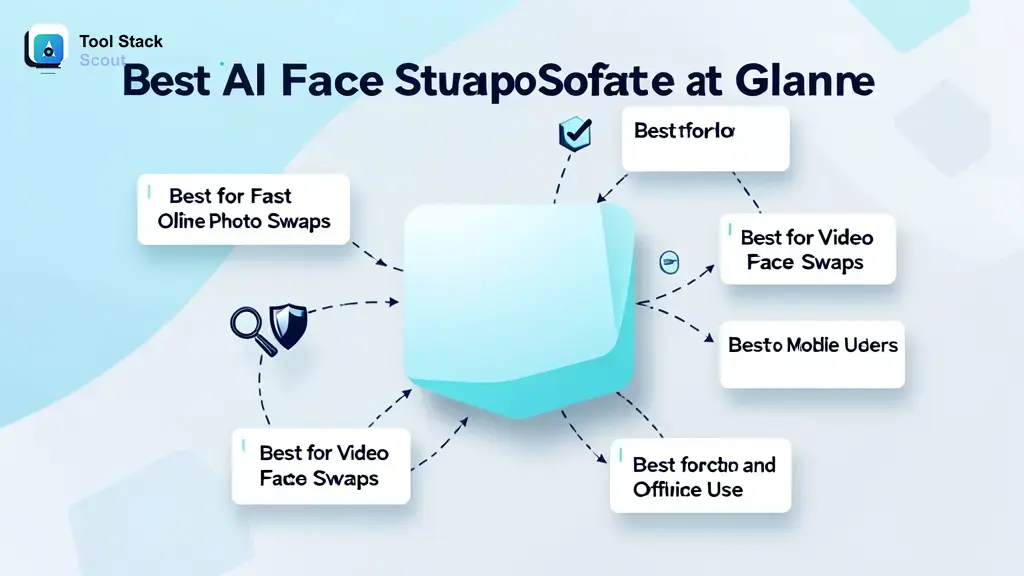
Best AI face swap software is not one fixed product for everyone. Search results often favor instant web tools because users want fast uploads and free trials. Real buying decision should separate four workflows: fast online photo swaps, video face swaps, desktop or offline use, and mobile creation.
Use this shortlist as practical starting map before deeper comparison. It includes common tool types and notable names that show up around face swap searches, without assuming every feature, limit, or price is fixed.
Best for fast online photo swaps
Online face swap tools are best when you want quick result without installing software. You upload source image, upload face image, run swap, then download result. This category fits beginners, meme makers, thumbnail creators, and anyone testing face swap AI for first time.
Main trade-off: online tools may have upload limits, queue times, watermarks, account prompts, or content rules. They are convenient, but not always best for private projects or repeat high-volume work.
Best for video face swaps
Video face swap tools are best when output must move naturally. Prioritize face tracking, frame consistency, expression handling, and export control. Tool that looks good on one still image may fail when person turns head or moves quickly.
Main trade-off: video processing usually takes longer, may require more credits or stronger hardware, and may expose artifacts around jawline, hair, glasses, or fast motion.
Best for desktop and offline use
Desktop face swap software and open-source tools fit advanced users who want more control over files, models, processing settings, and repeat workflows. Faceswap is one example of this category. It is more technical than browser tools, but it can be more flexible for users comfortable with setup.
Main trade-off: desktop setup can be slower, hardware demands can be higher, and learning curve can be steep. For nontechnical users, online or mobile tools are easier.
Best for mobile users
Mobile face swap apps fit quick social content. They are useful when source media already lives on phone and user wants fast sharing. Reface is one notable mobile-first name in this space.
Main trade-off: mobile apps may focus on templates, entertainment formats, or app-based sharing more than custom professional output. Check export control and watermark behavior before relying on one for creator work.
Top AI Face Swap Software Options to Consider
These options cover key tool styles: browser-based photo editing, online creative generation, mobile face swaps, and open-source desktop control. Exact feature availability can change, so compare based on workflow first.

Pixlr Face Swap
Pixlr is best known as an online photo editing platform, and its face swap features fit users who want image edits in browser. Best use case is quick photo-based work: profile concepts, creative edits, thumbnails, and casual swaps where simple upload workflow matters.
Pixlr-style workflow appeals to beginners because photo editing and face replacement can happen in same general environment. That can be useful when you need to crop, adjust, or polish image after swap.
Main trade-off: photo-first tools may not be strongest choice for complex video face swapping. If your project includes motion, speech, or frame-by-frame stability, use video-focused option instead.
Higgsfield Face Swap
Higgsfield Face Swap fits users interested in fast AI creative workflows and social-ready outputs. It is more relevant when you want stylized or creator-oriented face swap results rather than deep manual editing control.
Best fit is short-form content ideation: trying concepts, testing looks, and producing visual variations quickly. For creators, speed matters when making posts, mockups, and trend-driven content.
Main trade-off: creative AI tools can change features, limits, and output behavior over time. If repeatable production matters, test same type of image or clip you plan to use before building workflow around it.
Reface
Reface is a well-known mobile face swap app category fit. It works best for casual users, meme makers, and social media users who want fast entertainment-style swaps from phone.
Best fit is mobile-first sharing. If your goal is a funny clip, avatar-style swap, or quick post without desktop editing, mobile apps are usually fastest route.
Main trade-off: mobile-first tools may be less ideal for controlled commercial editing, batch workflows, or custom desktop pipelines. Review export options, watermark behavior, and content rules inside app before serious use.
Faceswap
Faceswap is an open-source desktop option for technical users who want deeper control. It can be relevant for users comfortable with PC setup, model workflows, file management, and longer processing steps.
Best fit is advanced experimentation, research-style learning, and controlled desktop work. It is not easiest starting point for beginners, but it gives technical users more room to understand how face swapping works under hood.
Main trade-off: setup and learning curve are real. Users may need compatible hardware, patience, and time to understand workflow. Beginners who want one-click results should start elsewhere.
If your interest extends from face swap tools into broader software production or custom AI pipelines, compare options in AI software development services before hiring or building around custom tooling.
How to Choose Best AI Face Swap Software
Choose AI face swap software by output, device, control level, and risk tolerance. Do not start with feature list. Start with final deliverable: one image, one short clip, batch content, mobile meme, or advanced PC workflow.
For broader AI software comparisons beyond face swapping, Tool Stack Scout’s AI tools category covers related tool types and practical buying guides.
| Tool | Best for | Why it stands out | Main trade-off |
|---|---|---|---|
| ai face swap software | Beginners comparing broad face swap tool types before choosing web, mobile, or desktop workflow. | Gives flexible starting point for matching photo, video, online, PC, and mobile needs. | Too broad unless you narrow by output type, privacy needs, and export requirements. |
| AI face swap software | Creators who need practical tool selection across photo and video projects. | Useful category for comparing realism, tracking, blending, speed, and ease of use. | Tool claims vary, so test with your own images or clips before committing. |
| face swap AI | Users who want AI-assisted face replacement without manual editing skills. | Focuses on automated face detection, alignment, generation, and blending. | Automation can struggle with side angles, low light, glasses, hairlines, and fast motion. |
| photo face swap | Meme makers, thumbnail creators, profile edits, and casual still-image projects. | Usually fastest workflow because tool only needs to process one frame. | Not enough for moving footage or clips that need stable tracking. |
| video face swap | Social video creators, parody clips, reaction edits, and motion-based projects. | Prioritizes tracking, frame consistency, expression handling, and moving-face realism. | Processing can take longer and artifacts are more visible during movement. |
| online face swap | Beginners who want fast browser access without desktop installation. | Easy upload-and-swap flow works well for quick tests and simple creative edits. | May include file limits, watermarks, queue times, account prompts, or upload privacy concerns. |
Choose based on output type: photo, video, or live
If final asset is one still image, choose photo face swap tool. Look for clean edges, natural skin tone, and easy download. If final asset is moving footage, choose video face swap tool. Look for face tracking, stable motion, and consistent blending across frames.
Live face swap is separate use case. It may involve real-time camera filters or streaming-style effects. Prioritize latency, device support, and app stability if live use matters.
Check ease of use and processing speed
Beginner-friendly tools should have clear upload steps, preview, simple export, and minimal setup. Processing speed matters most for social creators making many variations. Desktop tools may offer more control but require more setup time.
Decision rule: if you need result in minutes, use online or mobile. If you need control and can spend time learning, use desktop.
Look at realism, face tracking, and blending quality
Realism comes from good face alignment, lighting match, edge blending, and expression handling. For video, tracking matters even more. Watch for flicker, warped mouth movement, unstable eyes, and face slipping during turns.
Test with real project media, not perfect sample images. Tool that looks strong on front-facing portraits may struggle with low-light video or angled faces.
Decide between online, mobile, and desktop tools
- Online face swap: Best for speed and beginner access.
- Mobile face swap app: Best for social posts and casual sharing.
- Desktop face swap software: Best for advanced control and technical workflows.
- Open-source face swap tools: Best for technical learning and customization.
Takeaway: choose simplest tool that can produce needed output quality. Do not choose desktop workflow if browser tool solves job. Do not choose photo tool for video project.
Free AI Face Swap Software: What to Expect
Free AI face swap software can be enough for casual photo swaps, memes, quick tests, and one-off creative edits. Many users should start free because source image quality and face angle often matter more than paid features during first test.
Free tools commonly limit one or more things: number of swaps, export resolution, video length, processing speed, watermark removal, batch use, or access to advanced models. Limits vary by tool and can change.
When free tools are enough
- You need one quick profile-style edit.
- You are testing whether face swap AI works with your images.
- You are making casual memes or private drafts.
- You do not need long video exports.
- You can accept lower resolution or watermark constraints.
Common limits in free face swap tools
- Watermarked downloads.
- Lower output quality.
- Short video duration.
- Daily or monthly usage caps.
- Queue-based processing.
- Account required for export.
- Restricted commercial or public use terms.
Decision rule: use free tools for testing and casual work. Move to paid or desktop workflow only when output quality, export rights, privacy, or repeat volume becomes important.
How to Use AI Face Swap Software
Most AI face swap tools follow same beginner workflow. You choose source media, upload replacement face, run swap, then review result. Better input almost always creates better output.
Basic 3-step face swap workflow
- Upload source photo or video. Use clear file with visible face, good lighting, and enough resolution.
- Add replacement face. Use image where face points similar direction and has matching expression if possible.
- Generate and review result. Check eyes, mouth, jawline, hairline, skin tone, and motion stability before sharing.
Tips for more natural results
- Use high-resolution source images where face is not blurry.
- Match face angle between source and replacement image.
- Avoid heavy shadows, sunglasses, hands over face, and extreme side profiles.
- For video, start with short clip before processing longer footage.
- Review frame-by-frame if output will be public or client-facing.
- Use authorized images and avoid confusing viewers about what is real.
If you use face swap outputs inside larger software or production workflows, consider how file handling, model behavior, and automation fit your stack. Related AI system planning overlaps with topics covered in GFXRobotection AI software by GFXMaker, especially when evaluating tool claims and creative pipelines.
Common Questions About AI Face Swap Software
Which AI face swap software is free?
Some online face swap tools and mobile apps offer free access, trial usage, or limited free generations. Free access may include watermarks, lower export quality, queue delays, or usage caps. Best approach is to test free tier with your own image before comparing paid options.
Can you swap faces using AI?
Yes. Face swap AI can detect a face in photo or video, align another face to it, and blend result. Quality depends on source media, face angle, lighting, tool model, and whether software is designed for photo or video.
Can ChatGPT do face swap?
ChatGPT can explain face swap workflows, help compare tools, draft prompts, or suggest editing steps. It is not replacement for dedicated face swap software when you need actual automated photo or video face replacement. Use specialized tool for output generation.
Can you create your own face swap AI?
Technical users can experiment with open-source tools and machine learning workflows, but it requires setup, compatible hardware, data handling, and responsible use. For most users, existing online, mobile, or desktop tools are easier and safer starting point.
Is online face swap better than desktop software?
Online face swap is better for speed and convenience. Desktop software is better for control, technical workflows, and users who want more direct file handling. Best choice depends on whether you value fast access or deeper configuration.
What makes video face swap harder than photo face swap?
Video requires stable face tracking across many frames. Tool must preserve identity, expression, lighting, and motion as person turns, talks, blinks, or moves. That makes artifacts easier to notice than in one still image.
Use AI Face Swap Responsibly
Use clear consent and authorized images. Face swap tools can create convincing edits, so avoid using someone’s face in ways that mislead, embarrass, impersonate, or harm them. If image includes real person, think about permission, context, and how viewer may interpret output.
Label synthetic or edited media when context matters. Do not present face-swapped content as real footage of someone doing or saying something they did not do. Keep special care with public figures, coworkers, classmates, clients, and private individuals.
Practical rule: if face swap would surprise, mislead, or pressure person being shown, do not publish it without clear permission and context.
Final Verdict: Best AI Face Swap Software for Different Needs
Best AI face swap software for most beginners is an online face swap tool because setup is minimal and results are fast. Start there if you need photo swaps, memes, thumbnails, or simple creative edits.
Best pick for creators and video users is a video-focused face swap tool with strong tracking, stable output, and export controls. Do not choose photo-only software for moving clips, even if still-image demo looks realistic.
Best pick for PC and advanced control is desktop or open-source face swap software such as Faceswap-style workflows. Choose this route only if you are comfortable with setup, hardware demands, and technical learning.
Final decision rule: choose online for speed, mobile for social sharing, video-specific tools for moving footage, and desktop software for control. Best AI face swap software is not tool with biggest promise; it is tool that matches your media type, privacy needs, skill level, and export goal.