If you are searching for best ai productivity apps, shortest answer is this: start with ChatGPT for general work, Claude for long-document thinking and careful writing, Notion AI for notes and knowledge workflows, Otter.ai for meetings, and ClickUp or Asana if your bottleneck is team execution rather than content creation. Best choice depends less on hype and more on where work gets stuck: drafting, summarizing, organizing, automating, or following through.
This guide is for people who want practical gains, not AI theory. Instead of listing dozens of tools with overlapping claims, it focuses on where each app fits in real workflows for writing, study, task management, meetings, and daily office work. If you want broader context around assistant-style tools, see our guide to the top personal assistant options. You can also browse more AI tools on Tool Stack Scout.
Best Ai Productivity Apps
Best picks split by real job: ChatGPT for all-purpose work, Claude for long-form reading and writing, Notion AI for notes and knowledge, Otter.ai for meetings, and task-focused platforms like ClickUp or Asana for execution-heavy teams.
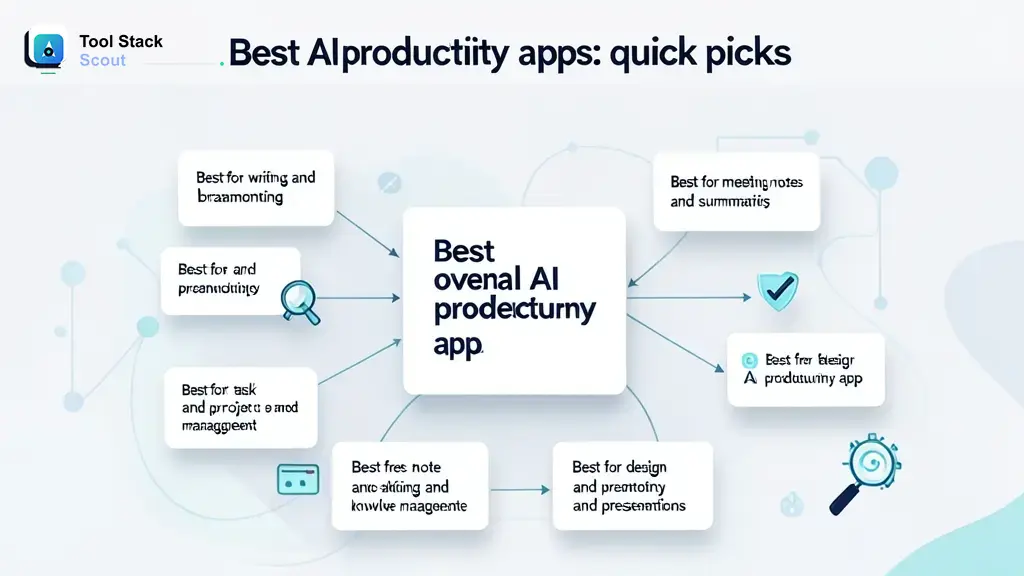
Best AI productivity apps: quick picks
If you want shortest path to decision, start here.
- Best overall for most people: ChatGPT
- Best for writing and long-form thinking: Claude
- Best for notes and knowledge management: Notion AI
- Best for meeting notes and summaries: Otter.ai
- Best for project and task execution: ClickUp
- Best for structured team project work: Asana
- Best for automation across apps: Zapier
- Best for visual content and fast design work: Canva
Decision rule: if your work starts with blank page, choose ChatGPT or Claude first. If your work breaks down after ideas are created, choose Notion AI, ClickUp, Asana, Otter.ai, or Zapier first.
How we chose best AI productivity apps
Best productivity app is not one with longest feature list. It is one that removes friction from repeated work without creating more review, cleanup, or coordination overhead.
We weighed tools using five practical criteria.
- Workflow fit: Does tool solve a real job like drafting, summarizing, organizing, or follow-up?
- Output quality: Are responses, notes, or automations useful enough to save time?
- Speed to value: Can new user get useful result in first session?
- Control: Can you refine prompts, structure output, and keep work organized?
- Trade-offs: Free-tier limits, collaboration friction, integration depth, and need for manual review.
What counts as productivity gain here is concrete: fewer context switches, faster first drafts, less meeting rework, better note retrieval, cleaner handoffs, or more consistent follow-up. Clever AI output alone does not count if it still leaves same amount of cleanup.
| Tool | Best for | Why it stands out | Main trade-off |
|---|---|---|---|
| best ai productivity apps | People choosing one AI app for drafting, planning, summarizing, and everyday office work | All-purpose assistants like ChatGPT can cover widest range of daily productivity tasks in one place | General tools can feel loose if you also need strong task tracking or team workflows |
| AI productivity apps | Users who want purpose-built help for notes, meetings, tasks, or writing instead of one chatbot for everything | Specialized apps often save more time in repeated workflows because structure is built in | You may need multiple subscriptions or more setup across tools |
| AI tools | People comparing broad assistant platforms with workflow-specific software | Category spans both creative thinking tools and execution tools, which makes matching work style easier | Feature overlap can make selection confusing without clear primary use case |
| workflow | Teams and individuals trying to reduce friction across drafting, approvals, meetings, and follow-up | Best options support end-to-end flow rather than only generating text | Strong workflow fit often depends on integrations, permissions, and team adoption |
| automation | Operators, marketers, and founders who repeat same cross-app steps every day | Automation-first tools can remove manual handoffs and trigger actions after AI output is created | Setup time rises fast if process is messy or changes often |
| task management | Managers and project-heavy teams that need AI inside planning, updates, and prioritization | Task tools add accountability, deadlines, and execution context that chat tools lack | AI quality may be secondary to core project-management design, so writing help can feel limited |
Takeaway: decide whether main problem is thinking or execution first. Thinking problems point to ChatGPT or Claude. Execution problems point to Notion AI, ClickUp, Asana, Otter.ai, or Zapier.
Best AI productivity apps by use case
These picks are grouped by real workflow, not by marketing label.
ChatGPT
ChatGPT is best overall if you want one app that can help with writing, research setup, brainstorming, spreadsheet logic, presentation outlines, email drafts, study support, and quick coding help. It works well when tasks change all day and you do not want separate tools for each one.
Its edge is flexibility. You can move from “summarize this meeting” to “rewrite this proposal” to “plan my week” in minutes. For solo workers and general office use, that breadth often matters more than niche depth.
Main trade-off: it can become a dumping ground unless you bring structure. If your work depends on durable notes, task tracking, or team workflow, pure chat starts to feel loose.
Best fit: professionals, students, founders, marketers, and anyone who needs a fast all-purpose AI workspace.
Claude
Claude is strongest when work involves long documents, nuanced reasoning, careful summaries, and cleaner first drafts. It often feels better suited to reading-heavy workflows like policy reviews, research synthesis, lesson planning, content briefs, and long-form writing.
Choose Claude when you are working with large amounts of text, need more restrained tone, or want help comparing arguments inside long material. It fits researchers, writers, analysts, and students reviewing source-heavy content.
ChatGPT is stronger when you want broader everyday utility, faster switching between mixed tasks, or help across more varied prompt types. Claude is stronger when reading and synthesis are center of work.
Main trade-off: if your day is less about documents and more about action across apps, Claude often works best paired with another workflow tool.
Best fit: writers, researchers, students, and knowledge workers handling dense information.
Notion AI
Notion AI is best when your productivity issue is not generating ideas but keeping work, notes, docs, and projects in one system. It can summarize pages, help draft documents, extract action items, and support knowledge workflows that stay useful after chat session ends.
It stands out because output stays inside workspace where work already lives. That matters for people who lose time moving content from chatbot into docs, notes, and task lists.
Main trade-off: if you do not already like Notion as a workspace, AI layer will not fix that. Structure can feel heavy for people who want instant answers without much setup.
Best fit: organized individuals, small teams, and anyone building a personal or shared knowledge system.
Otter.ai
Otter.ai is strongest for meetings, interviews, classes, and spoken discussions that need capture and recap. It helps when biggest productivity leak is losing details from calls or spending too much time writing follow-up notes. If meeting capture is your main use case, our guide to the best ai note taking app options goes deeper on dedicated note-taking tools.
It stands out because it starts with audio workflow, not generic text generation. That makes it more practical than chatbot for meeting-heavy jobs.
Main trade-off: it is less useful outside meeting context. If you need broad drafting, ideation, or project planning, treat it as companion tool rather than only AI app.
Best fit: managers, recruiters, sales teams, students, consultants, and interview-based roles.
ClickUp
ClickUp is best for people whose work breaks at planning, prioritization, handoffs, and status updates. AI inside project space can help write tasks, summarize updates, organize docs, and reduce admin around team execution.
It stands out because it connects AI with actual deadlines and ownership. For many teams, that is more valuable than generating another polished paragraph.
Main trade-off: richer project tools bring more setup and process overhead. It is often too much for users who mainly need writing help or quick problem solving.
Best fit: operations-heavy teams, agencies, startups, and managers juggling many moving parts.
Asana
Asana works best for teams that already care about project clarity, dependencies, accountability, and workflow visibility. AI matters most here when it reduces update churn and helps turn messy planning into clear actions.
It stands out for structured team execution rather than open-ended creation. If deadlines and coordination matter more than brainstorming, Asana can be more useful than chat-first app.
Main trade-off: less compelling as solo creativity tool. Value rises with team adoption.
Best fit: managers, department leads, and teams with recurring projects.
Zapier
Zapier is best if repetitive work happens between apps: form submissions, CRM updates, task creation, notifications, content routing, or report handoffs. It can connect AI output to next step instead of leaving result stranded in chat.
It stands out because automation compounds. Saving two minutes on one task is small. Removing same step across dozens of weekly actions is big.
Main trade-off: setup requires process clarity. If workflow still changes daily, automation can create more maintenance than value.
Best fit: founders, operators, marketers, and anyone with repeatable cross-tool workflows.
Canva
Canva fits creators, marketers, and office users who need visual output fast: presentations, social graphics, simple videos, one-pagers, and branded assets. AI can help with copy, layouts, resizing, and quick concept generation.
It stands out for turning ideas into shareable visuals without specialized design software. For many teams, that is direct productivity gain.
Main trade-off: it is not replacement for deep writing, research, or project management tools.
Best fit: marketers, creators, educators, and small businesses making frequent visual content.
Decision rule: choose chatbot-first tools if work starts with thinking, workspace tools if work starts with organization, and automation tools if work stalls between apps.
Best AI productivity apps for specific users
Best for students
Claude and ChatGPT are strongest starting points for study. Claude is often better for reading packs, lecture notes, and long source summaries. ChatGPT is better for mixed workloads like study plans, flashcard prompts, quick explanations, coding help, and presentation prep. Notion AI also fits students who want one place for notes and class planning.
Best pick: Claude if reading load is heavy. ChatGPT if classes require more varied task support.
Best for office work
ChatGPT is best for general office work because daily tasks vary: emails, agendas, summaries, spreadsheet formulas, presentations, and draft replies. Pair it with Otter.ai if meetings dominate your calendar, or with ClickUp or Asana if bottleneck is coordination.
Best pick: ChatGPT for individual output, ClickUp for execution-heavy teams.
Best for freelancers and solo creators
ChatGPT gives widest creative range, while Canva helps turn ideas into deliverables. Notion AI is strong if you need content calendar, client notes, and project docs in one place. Zapier becomes useful once repeat work like lead intake, proposal follow-up, or content repurposing starts piling up.
Best pick: ChatGPT first, then Canva or Zapier depending on whether bottleneck is creation or operations.
Best for teams and managers
Asana and ClickUp are better than general chat tools when accountability, deadlines, and status visibility matter. Otter.ai adds value if meetings create too much note and follow-up work. ChatGPT still helps with drafts and strategy, but it should not sit at center of workflow if execution is main problem.
Best pick: ClickUp for all-in-one execution, Asana for structured team planning.
Free AI productivity apps worth trying
Free and freemium plans are enough for many people at start, especially if you are still learning what kind of AI support helps most.
- ChatGPT: good for everyday drafting, brainstorming, and quick help if your usage is moderate
- Claude: useful for document-heavy work and careful summaries on lighter workloads
- Notion AI: most useful if you already keep notes and tasks in Notion, though AI access may depend on workspace plan
- Otter.ai: worth trying for occasional meetings, classes, or interviews
- Canva: helpful for quick visual work without committing to full design stack
Free tools stop being enough when one of three things happens: usage caps interrupt work, collaboration features start to matter, or your workflow needs automation and saved context rather than occasional prompts.
Practical rule: test one general AI app and one specialized app before paying for full stack. That shows whether your time loss comes from thinking, documentation, or execution.
How to choose right AI productivity app for your workflow
Choose by problem, not by popularity. Most bad tool decisions happen when people pick famous AI app before naming exact friction point.
- Name bottleneck. Blank page, too many meetings, messy notes, project chaos, or repeated admin.
- Match tool type. Chat tool for thinking, workspace tool for organization, automation tool for repeat actions.
- Check integrations first. If tool cannot fit where work already happens, adoption usually drops fast.
- Balance speed and control. Fast output helps, but editable structure matters for ongoing work.
- Start with one or two tools. More apps can reduce productivity if you are still building process.
Useful pattern for most people: one thinking tool plus one system tool.
- Writing and research: Claude + Notion AI
- General office work: ChatGPT + Otter.ai
- Freelancer workflow: ChatGPT + Canva
- Operations and execution: ChatGPT + ClickUp
- Cross-app automation: ChatGPT or Claude + Zapier
Takeaway: if app does not remove repeated step from your week, it is not solving your productivity problem.
Best AI productivity apps compared
Use this table as fast fit check, not final answer.
| Tool | Best use case | Strength | Watch out for |
|---|---|---|---|
| ChatGPT | General work | Most flexible across writing, planning, study, and coding | Can feel unstructured for long-term workflow management |
| Claude | Long documents and careful writing | Strong with long-context reading and nuanced summaries | Less complete if you need task execution or broad app workflow |
| Notion AI | Notes and knowledge systems | Output stays inside docs, notes, and project context | Best only if you want Notion-style organization |
| Otter.ai | Meetings and lectures | Captures spoken content and turns it into usable summaries | Narrower use outside audio-heavy workflows |
| ClickUp | Team execution | Connects AI help with real tasks, owners, and deadlines | Higher setup overhead |
| Asana | Project coordination | Clear planning and accountability for teams | Less useful for solo creative work |
| Zapier | Automation | Removes repeat steps across apps | Needs stable process to be worth setup |
| Canva | Visual productivity | Fast design output for non-designers | Not full writing or project system |
If you want more options in this space, browse our AI Tools category. For most readers, though, one of tools above will cover bulk of real productivity needs.
Final verdict
If you want one place to start, pick ChatGPT. It is best default choice for most people because it handles widest range of everyday work with least friction.
Pick Claude instead if your day revolves around reading, synthesizing, and writing long documents. Pick Notion AI if your pain is scattered notes and knowledge. Pick Otter.ai if meetings eat your time. Pick ClickUp or Asana if your team does not need more ideas; it needs better follow-through.
Decision rule: choose ChatGPT for broad productivity, Claude for document-heavy thinking, and workflow apps like Notion AI, ClickUp, Asana, or Zapier when execution is bigger problem than output generation. Fix biggest bottleneck first.
FAQ about AI productivity apps
What is an AI productivity app?
An AI productivity app helps you complete work faster or with less manual effort. That can mean drafting text, summarizing notes, transcribing meetings, organizing tasks, generating visuals, or automating repeated actions.
Which AI productivity app is best for everyday work?
For most people, ChatGPT is best for everyday work because it covers widest range of tasks in one tool. Claude is better if your work is more document-heavy and analysis-driven.
Are there free AI tools for productivity?
Yes. Several leading tools offer free or freemium entry points, though limits can change over time. Free plans are often enough for light drafting, note help, or occasional meeting support, but heavier daily use can push you toward paid tiers.
What is difference between an AI assistant and an AI productivity app?
An AI assistant is often chat-first and broad, focused on answering, drafting, and helping with many tasks. An AI productivity app is usually tied to workflow such as notes, meetings, task management, or automation. Some of best AI companion apps overlap with productivity tools, but companion-style apps are not always built for structured work output.
What is best AI productivity app for students?
Claude is strong for long reading and summary-heavy study. ChatGPT is better for mixed academic workloads like explanations, practice questions, coding help, and planning. Notion AI is useful if you want study materials organized in one system.
Should I use one app or several?
Start with one general tool and add one specialized tool only if clear bottleneck remains. For most people, two tools are enough: one for thinking and one for workflow.