If your team spends too much time writing meeting notes, chasing follow-ups, or trying to remember what was decided last week, choosing the best ai note taking app for business usually starts with workflow fit. The right tool should capture meetings reliably, produce usable summaries, surface action items, and make the output easy to share across the team.
The strongest options do not all solve the same problem in the same way. Some are better for sales calls and customer conversations. Others work better for internal collaboration, project handoffs, or turning meeting history into searchable company knowledge. This guide focuses on practical business fit so you can make a faster decision without turning the process into a feature spreadsheet. If you want more buying guides in this space, Tool Stack Scout also covers broader top personal assistant software for work.
Best Ai Note Taking App For Business
For most business teams, the best choice is the tool that turns meetings into clear summaries, action items, and searchable records without adding friction to day-to-day work. Fireflies.ai is the safest broad starting point, while Otter.ai, Notion AI, tl;dv, Avoma, and Granola fit more specific workflows.
Why businesses are adopting AI note-taking apps
Businesses adopt these tools because manual note-taking breaks down when meeting volume grows. Important details get missed, follow-up depends on whoever took the best notes, and decisions end up scattered across notebooks, chat threads, and disconnected documents. An AI meeting assistant can reduce that drag by creating a shared record of what happened and what needs to happen next.
What separates a business-grade option from a personal note app is what happens after the meeting. Better tools do more than transcribe. They help teams find decisions, review customer calls, share context across departments, and build a searchable layer of institutional knowledge. That matters for managers, founders, sales teams, and operations leads who need meetings to turn into action rather than just records.
In practice, the best choice depends on where notes need to go next. A sales team may care most about recap consistency and client-call review. An operations team may care more about decisions, accountability, and searchable history. A founder may simply want a faster way to stop re-listening to recordings. The right product removes the most expensive bottleneck in your current meeting process.
How we evaluated the best AI note taking apps for business
We prioritized business use cases over consumer-style note features. That means transcript reliability, summary usefulness, and follow-up support mattered more than cosmetic editing tools. We also looked at how well each product fits recurring internal meetings, client calls, cross-functional reviews, handoffs, and knowledge retrieval after the meeting is over.
Our evaluation focused on six practical criteria: transcript and recording reliability, summary quality, action item capture, integration fit, team collaboration, and ease of rollout. We also weighed trade-offs carefully. Some tools are strong at meeting capture but weaker as long-term knowledge hubs. Others are strong in document workflows but less natural for live meeting capture.
That distinction matters because many businesses are not really choosing a note app in isolation. They are deciding whether they need a dedicated meeting assistant, a lightweight recap tool, or a note system that feeds directly into broader team workflows.
For readers skimming the field, the shortlist usually breaks into a few recognizable buckets. Fireflies.ai is the broad default for many teams. Otter.ai is the easier starting point for straightforward meeting capture, especially if you are comparing it with a dedicated best AI meeting note taker workflow for small teams. Notion AI is strongest when notes need to become working documents. tl;dv stands out for searchable review and async sharing. Avoma fits revenue-facing teams better than general internal teams, while Granola appeals to lighter-weight workflows.
If you are comparing options quickly, use this rule: do not start with the longest feature list. Start with the tool that best matches your dominant meeting pattern and where those notes need to live afterward.
| Tool | Best for | Why it stands out | Main trade-off |
|---|---|---|---|
| best ai note taking app for business | Teams that need one practical recommendation for meetings, summaries, and searchable follow-up | Represents the all-around business use case where balanced workflow fit matters more than any single standout feature | The best choice depends on whether your team is meeting-first, document-first, or revenue-workflow-first |
| AI note taking app | Businesses replacing manual notes with faster summaries and shared records | Useful when the main goal is reducing note-taking overhead across recurring meetings | Some tools in this group are better for individual use than for team rollout and collaboration |
| AI meeting assistant | Teams that want live meeting capture, recap support, and easier review | Usually offers the most direct value for call-heavy workflows and post-meeting follow-up | Meeting-first products may be less effective as full documentation or knowledge-management systems |
| meeting notes | Managers and small teams that need cleaner records of decisions and next steps | Improves consistency and reduces dependence on one person taking reliable notes every time | Notes still need quick human review when meetings are fast, complex, or full of domain language |
| meeting summaries | Busy teams that want quick recaps without replaying entire calls | Helps absent participants catch up and makes follow-up more efficient | Summary quality can vary, especially around nuance, disagreement, or ownership details |
| transcription | Organizations that need searchable meeting history and conversation records | Creates a retrievable record that supports later review, handoffs, and knowledge lookup | A strong transcript alone does not guarantee useful summaries, action items, or workflow integration |
Best AI note taking apps for business: quick picks
If you want the short answer, these are the tools most businesses should start with:
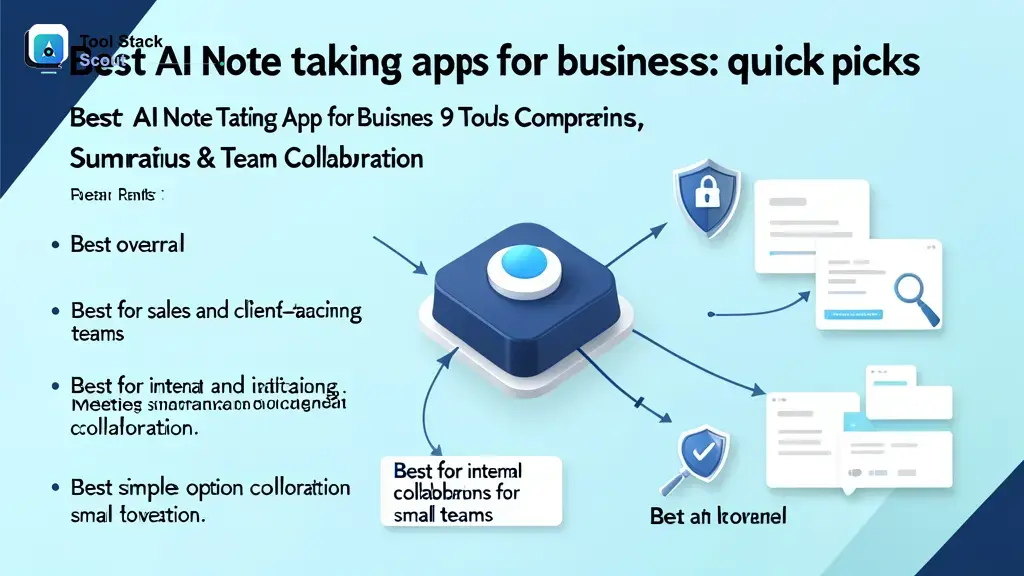
- Best overall: Fireflies.ai for balanced meeting capture, summaries, search, and broad business fit
- Best for sales and client-facing teams: Avoma for revenue conversations and more structured follow-up workflows
- Best for internal collaboration: Notion AI for teams that want notes to become living documents and shared knowledge
- Best simple option for small teams: Otter.ai for straightforward adoption and clean meeting recaps
- Best for remote call review: tl;dv for highlight-based sharing and easier async review
- Best lightweight option: Granola for founders and lean teams that want less process overhead
The safest default is Fireflies.ai because it covers the widest set of business meeting needs without requiring a specialized workflow. Move away from that default only if your team is clearly centered on sales calls, a document-first workspace, or a lighter personal note style.
Detailed reviews of the top AI note-taking apps
1. Fireflies.ai
Fireflies.ai is the strongest default recommendation for most businesses because it stays focused on the core job: capture meetings, summarize them quickly, and make them searchable later. It fits a wide range of use cases, including internal syncs, customer conversations, interviews, and leadership reviews, which makes standardization easier across a growing team.
Its main advantage is balance. Some competitors may feel stronger in a narrow niche, but Fireflies.ai generally offers enough transcript quality, enough summary structure, and enough workflow support to be useful immediately. That is often more valuable than choosing a specialized product that only one department fully adopts.
The trade-off is that document-heavy teams may still want a stronger downstream workspace. If your meeting output regularly becomes long-form plans or detailed knowledge bases, Fireflies.ai may work best as the capture layer rather than the whole system.
Best for: Businesses that want one broadly capable AI meeting assistant without over-optimizing for a niche.
2. Otter.ai
Otter.ai remains one of the easiest tools to understand and roll out. For many small businesses, that simplicity is the point. It is often a good fit when the main goal is replacing manual note-taking, giving managers quick recaps, and helping participants review what was said without building a complicated process.
Where Otter.ai stands out is approachability. Teams that are new to AI note-taking may find it easier to adopt because the value is immediate and easy to explain: transcript, recap, and searchable meeting memory. That can matter more than advanced features if adoption is your biggest hurdle.
The limitation is that more complex organizations may outgrow it. If you need deeper process support, stronger cross-team structure, or more specialized business workflows, Otter.ai can feel more like a strong notes layer than a broader operational system.
Best for: Small teams, department leads, and businesses that want a simple path to better meeting notes.
3. Notion AI
Notion AI is not the most meeting-first option in this group, but it can be the best fit for teams whose work already lives in Notion. That is an important distinction. If projects, docs, decisions, and internal knowledge already live in one workspace, the value of meeting notes rises when they become part of that system rather than staying isolated in a separate app.
For operations, product, and cross-functional teams, Notion AI can be more useful than a dedicated meeting assistant because it helps turn meeting output into working documents, project context, and searchable internal knowledge. In those cases, execution after the meeting matters more than having the most specialized call recorder.
The trade-off is that businesses wanting a seamless dedicated meeting-capture experience may prefer a tool designed first for live calls. Notion AI is most compelling when the team already has strong workspace habits and wants notes connected directly to ongoing work.
Best for: Internal collaboration, project teams, and businesses already invested in Notion as a work hub.
4. tl;dv
tl;dv is especially appealing for remote teams that need to revisit meetings efficiently. Instead of treating every call as a long block of transcript, it is better suited to searchable review, highlights, and easier sharing of important moments. That can be valuable when not everyone attends every conversation live.
This workflow can suit distributed companies, customer-facing teams with many virtual calls, and managers who want a faster way to review meetings without replaying everything from start to finish. In those cases, the ability to scan and share key moments may be more useful than a longer generic summary.
The trade-off is that some businesses may still want a more complete collaboration or admin layer if they are standardizing processes across departments. tl;dv is strongest when meeting review itself is a major workflow need.
Best for: Remote teams, async collaboration, and businesses that want faster meeting review.
5. Avoma
Avoma makes the most sense when meetings are closely tied to revenue outcomes. Sales, account management, and customer success teams often need more than transcripts. They need consistent follow-up, better visibility into conversations, and a structured way to review calls over time.
If your business handles a meaningful volume of demos, discovery calls, onboarding sessions, or renewals, Avoma can be a better fit than a general note-taking product because the workflow is more closely aligned with client-facing conversations. That extra structure can help managers and reps use meeting output more consistently.
The main trade-off is fit. For a general internal team, Avoma may be more system than you need. For revenue and client-facing teams, that additional structure is often exactly why it belongs on the shortlist.
Best for: Sales-led and customer-facing teams that want notes tied more closely to revenue workflows.
6. Granola
Granola appeals to a different kind of buyer: founders, operators, and lean knowledge workers who want AI support without turning every meeting into a heavily managed process. It stands out more for low friction than for trying to be an all-in-one team system.
That makes it attractive for small businesses that value speed and usability. If your meetings matter but your team is unlikely to adopt a more structured shared workflow, a lighter tool can deliver better results simply because people keep using it.
The limitation is that larger organizations, or teams that need stronger admin controls and broader collaboration features, may find it less complete than more meeting-centered business platforms.
Best for: Founders, executives, and lean teams that want minimal overhead.
The practical takeaway from this shortlist is to choose based on your dominant meeting pattern. Internal operations teams usually get the most value from Fireflies.ai or Notion AI. Client-facing teams should look first at Avoma or tl;dv. Small teams that want speed and lower change management should lean toward Otter.ai or Granola.
Which AI note taking app is best for your business type?
For small businesses and startups
Choose Otter.ai or Granola if your main goal is fast adoption with minimal process change. Small teams usually do not need the most layered system first. They need a tool people will actually use and a note workflow that quickly replaces manual recap work.
For sales, customer success, and client calls
Choose Avoma first, then consider Fireflies.ai or tl;dv if you want broader meeting coverage. Revenue teams benefit most from tools that support recap consistency, easier review, and clearer follow-up when every conversation affects pipeline or customer health.
For operations and project teams
Choose Notion AI if your company already runs work in Notion. Otherwise, Fireflies.ai is often the safer starting point. Operations teams usually care less about polished transcripts and more about turning discussion into assigned work, documented decisions, and reusable team knowledge.
For leadership and cross-functional meetings
Choose Fireflies.ai if you want broad standardization across departments. Leadership meetings create high-value context, so the best tool is the one that makes decisions searchable and follow-up visible without adding too much process friction.
The decision rule is simple: buy for the meeting pattern your team repeats every week, not the occasional edge case that looks impressive in a demo.
Key features to look for before choosing a tool
Transcription and summary quality
Most teams care less about perfect transcription than they expect. What matters more is whether the output is usable. Does the summary capture decisions correctly? Does it separate ideas from commitments? Can someone who missed the meeting understand what changed? Test tools on real meetings with multiple speakers, jargon, and uneven audio before deciding.
Action items, decisions, and follow-up support
The best business tools reduce post-meeting admin. Look for systems that can identify next steps, owners, deadlines, and unresolved questions. Even if the AI is not perfect, a solid first draft of follow-up work is often enough to save time and improve accountability.
Integrations with meeting and work tools
Calendar and conferencing integrations are the baseline. The bigger question is where notes need to go next. If your team works in docs, project systems, or customer workflows, the note-taking app becomes much more valuable when it can fit into that environment instead of trapping information in its own interface.
Team collaboration and searchable knowledge
Search is one of the most overlooked buying criteria. Teams often realize the biggest return later, when they need to answer questions like who agreed to what, what a customer objected to, or why a priority changed. A searchable meeting archive can become a practical knowledge layer for the business when it is easy to share across functions.
As a practical rule, prioritize summary usefulness first, workflow integration second, and raw transcript completeness third. That order usually reflects business value more accurately than a long feature checklist.
Free vs paid AI note-taking apps for business
Free plans can be enough if your business is still testing whether the team will actually change its meeting habits. If you have limited meeting volume and mostly want transcripts plus short summaries, a free tier or trial period may be enough to prove whether the workflow is useful.
Paid plans make more sense once notes become part of an operational process. That usually means your team needs longer history, shared access, stronger admin controls, broader integrations, or a more dependable way to standardize follow-up. In other words, the upgrade is less about unlocking AI and more about making the workflow team-ready.
If you are comparing tools across the broader AI Tools category, this pattern shows up often: free works for testing value, while paid tends to matter when the process needs to support more people and more meetings.
Common limitations of AI note-taking apps
These tools are useful, but they are not self-verifying. Summaries can miss nuance, attribute comments incorrectly, flatten disagreement, or overstate what was actually decided. That risk tends to rise in fast meetings, conversations with domain-specific language, or calls with overlapping speakers.
There is also a workflow risk. Teams may assume that because a summary exists, follow-up is handled. It is not. Strong teams still review important notes, correct meaningful errors, and confirm owners before tasks disappear into ambiguity. AI can reduce clerical work, but it does not replace judgment.
You will also get uneven value if meetings are poorly run. No note-taking tool fully rescues a call with no agenda, weak facilitation, and unclear outcomes. These products work best when the team already has decent meeting habits and wants to make them more scalable.
To get better results, test tools on real meetings, decide where finalized notes should live, and assign one person to confirm action items after important calls. That small review step often turns decent AI output into a reliable business process.
Final verdict: the best AI note taking app for business
For most companies, Fireflies.ai is the best overall choice because it offers the most balanced fit across meeting capture, summaries, search, and team-wide usability. It is the safest recommendation when you want one business-friendly tool that can work across departments without too much setup.
If your team is heavily customer-facing, Avoma is the better choice. If you are still narrowing the field, it also helps to compare this shortlist with our guide to the best AI note taking app options for broader use cases. If your company already lives in Notion, Notion AI may create more value because it connects meeting output directly to execution and documentation. If your main priority is simplicity, Otter.ai remains one of the easiest places to start.
The decision rule is clear: choose Fireflies.ai unless your business already has a stronger center of gravity. That center might be a sales workflow, a Notion workspace, or a lightweight founder setup. When that center is obvious, optimize for it. When it is not, start with the tool that is easiest to adopt broadly and easiest to trust after the meeting ends.
If you are still narrowing your shortlist, explore more software comparisons on the Tool Stack Scout homepage and use this guide as a filter: meeting-first for call-heavy teams, workspace-first for documentation-heavy teams, and simple-first for small businesses still proving internal ROI.
FAQs about AI note-taking apps for business
Which AI app is best for making notes?
For business use, Fireflies.ai is the strongest overall starting point because it combines meeting capture, summaries, and searchable notes in a way that fits many teams. For simpler needs, Otter.ai is often easier to adopt. For document-heavy teams, Notion AI may be the better fit.
Which AI app is best for small business?
Otter.ai and Granola are strong options for small businesses because they are easier to roll out and usually require less process change. Fireflies.ai is often the better choice if the business wants something that may scale more comfortably as meeting volume grows.
What is the best note taking app for business?
If the goal is team meeting notes, Fireflies.ai is the strongest broad recommendation in this list. If the goal is turning notes into ongoing documentation and shared knowledge, Notion AI may be more useful than a dedicated meeting assistant.
Can ChatGPT take notes?
ChatGPT can help clean up notes, rewrite summaries, and organize action items, but it is not usually the best standalone business note-taking system for live meetings. Most companies will get better results from a dedicated AI meeting assistant that handles capture, transcription, and searchable meeting history more directly.