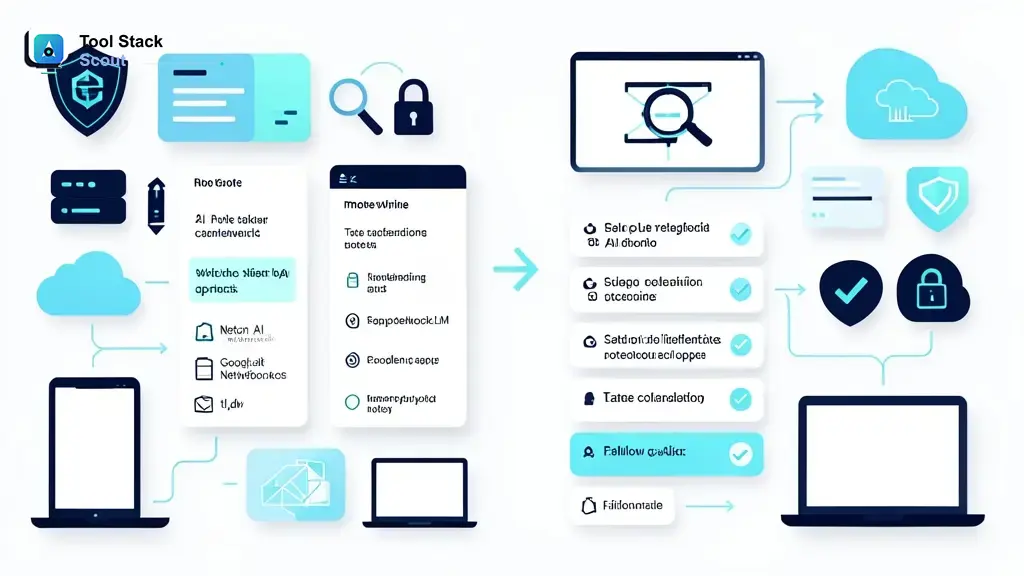
Choosing a note taking ai app is less about finding one smart tool and more about matching capture style to your workflow. Some apps are strongest in live meetings with speaker labels and action items. Others work better for classes, research, or personal voice notes where search, summaries, and organization matter more than meeting bots.
If you want fast answer: Otter is strong for general meeting capture, Fireflies.ai fits teams that need searchable records across calls, tl;dv works well for meeting clips and async review, Fathom is a good lightweight meeting option, NotebookLM stands out for study and source-based synthesis, and Notion AI makes more sense when notes need to live inside a broader workspace. For more comparisons, start with best AI tools or browse AI tools guides on Tool Stack Scout.
Note Taking Ai App
Best choice depends on source of notes. For meetings, prioritize transcription, speaker recognition, and action items. For classes and research, prioritize source grounding, summaries, and search. For personal notes, prioritize quick capture, mobile support, and organization.
What users want from a note taking AI app
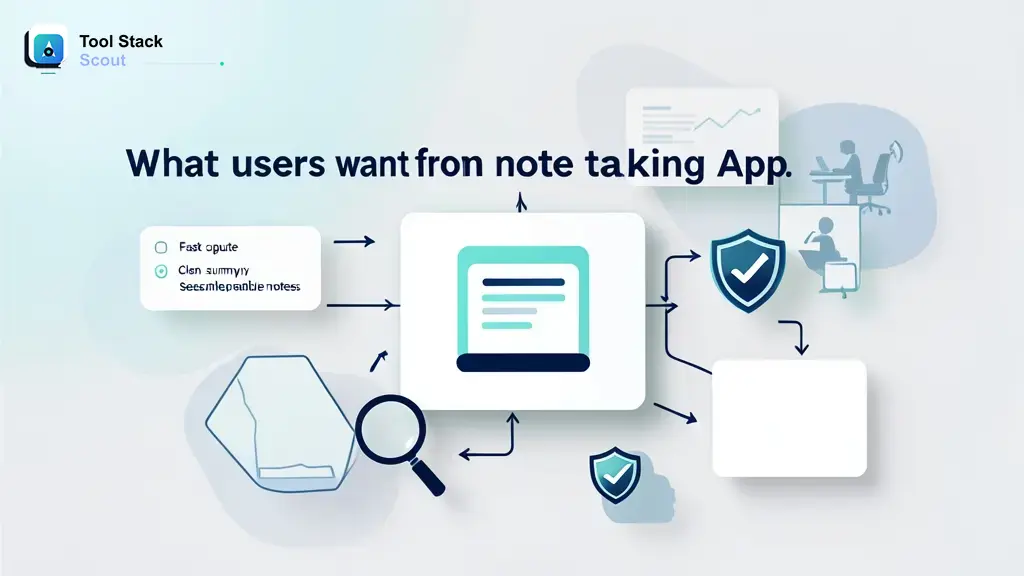
Most people are not looking for AI in abstract. They want fewer missed details, less manual typing, and notes they can search later. That usually means four core jobs: capture speech, clean it into readable notes, surface decisions or tasks, and make everything easy to find.
Search intent splits into three main paths. First, meeting users want automated transcripts, summaries, speaker labels, and follow-up tasks. Second, students want lecture capture, study summaries, and help reviewing long material. Third, personal users want quick voice notes, idea capture, and searchable note archives without a heavy setup process.
That split matters because best meeting assistant is not always best study tool. If your main use case is team calls, dedicated meeting tools usually win. If you need source-grounded study help, notebook-style tools often fit better. If you are still comparing broader note workflows, our guide to the best AI note taking app goes deeper on category-wide picks.
How we evaluate AI note taking apps
Before ranking any tool, focus on workflow fit over headline features. A good app for investor calls can be poor for lecture review. A good study notebook can be weak for live meetings. We compare tools on criteria that change daily usefulness, not marketing copy.
First is capture quality: transcription accuracy, speaker recognition, recording flexibility, and whether app can handle live calls, uploads, or both. Second is output quality: summaries, action items, chaptering, highlights, and whether notes stay readable without heavy cleanup. Third is retrieval: search, tagging, exports, and how easy it is to turn raw transcript into something reusable.
Then come practical factors. Device support matters if you switch between desktop and phone. Integrations matter if you live in Zoom, Google Meet, Slack, Notion, or CRM tools. Privacy matters if app stores recordings, joins calls as bot, or uses uploaded material for AI features. Consent controls matter if you work across teams, clients, classrooms, or regulated environments.
| Tool | Best for | Why it stands out | Main trade-off |
|---|---|---|---|
| note taking ai app | Users who want one shortlist that covers meetings, study, and personal notes | Category blends transcription, summaries, search, and organization into one workflow | No single app leads every use case, so fit matters more than feature count |
| AI note taker | Teams and solo users who want automated notes with minimal manual typing | Fast capture plus summary can save time right after meetings or lectures | Output often still needs human review for names, nuance, and action wording |
| meeting notes | Remote teams, managers, sales, and client-facing calls | Best tools extract decisions, tasks, and speaker-attributed context from calls | Bot attendance, consent rules, and integration limits can affect adoption |
| lecture notes | Students, researchers, and course review workflows | Strong apps help summarize long material and turn sources into study aids | Lecture capture can struggle with noisy rooms, jargon, or unsupported formats |
| transcription | Users who need searchable text from audio or video first | Transcript becomes reusable base for summaries, clips, quotes, and exports | Transcript alone is not enough if you need structured notes or task tracking |
| speech-to-text | Mobile users capturing thoughts, memos, and quick spoken notes | Low-friction voice capture helps when typing is slower than speaking | Best for quick capture, not always best for deep organization or team workflows |
Best note taking AI app picks by use case
Best for meeting notes and action items: Otter
Otter is often easiest recommendation for general meeting use because core value is clear: record conversation, produce transcript, generate summary, and keep notes searchable afterward. That makes it a strong fit for managers, founders, recruiters, and anyone who spends a lot of week in recurring calls.
Where Otter usually works best is simple operational follow-through. You finish call, skim summary, search transcript, and copy decisions into project tools. Trade-off: if your workflow depends on deeper automation, broad integrations, or highly polished post-meeting workflows, another tool may fit better.
Best for searchable team call archives: Fireflies.ai
Fireflies.ai makes sense for teams that want meeting memory more than one-off summaries. Searchable conversations across customer calls, internal syncs, and interviews can become useful knowledge base, especially for sales, support, and operations teams.
Value grows with volume. If your team wants to revisit who promised what, compare themes across calls, or centralize records, Fireflies.ai is a strong shortlist candidate. Trade-off: smaller teams or solo users may find full system heavier than needed.
Best for async meeting review and clips: tl;dv
tl;dv stands out when transcript alone is not enough and meeting moments need to be shared back to team. That is useful for product reviews, customer interviews, and distributed teams that rely on clips instead of making everyone attend every call.
Choose tl;dv if your notes need to travel. It is less about private note archive and more about turning conversation into reviewable, shareable output. Trade-off: if you only need plain transcript plus summary, lighter tools may do enough.
Best lightweight meeting option: Fathom
Fathom is a good fit for users who want automated notes without much setup friction. In practice, that often means solo professionals, founders, and client-facing users who want meeting recap fast and do not want to spend much time organizing system.
Main advantage is usability. Main limitation is depth. If your needs expand into broader repository search, richer collaboration, or more specialized workflows, you may outgrow it.
Best for students and long-document study: Google NotebookLM
NotebookLM is not a classic meeting bot. It is stronger as a source-based study and research tool. If your notes start from lecture transcripts, PDFs, readings, or uploaded source material, it can be more useful than meeting-first apps because it helps synthesize grounded material instead of only capturing speech.
This is strongest option here for students, researchers, and knowledge workers reviewing long materials. Trade-off: it is not first pick if your core need is live meeting attendance and automated action items. For business-heavy note workflows, compare our picks for the best AI note taking app for business.
Best for notes inside larger workspace: Notion AI
Notion AI works best when note capture is only one piece of a broader documentation system. If meeting notes, project docs, research, and tasks already live in Notion, keeping summaries and rewrites in same workspace can be more valuable than best-in-class transcription.
It is less specialized than dedicated meeting assistants. That is both strength and weakness. Pick it when organization matters as much as capture. Skip it if your first priority is best raw meeting transcription workflow.
Best built-in option for Zoom-heavy teams: Zoom AI Companion
Zoom AI Companion deserves a compare-list spot because built-in tools can reduce friction. If your organization already runs heavily on Zoom, native meeting summaries may be easier to adopt than a separate platform.
But built-in does not always mean best overall. It can be enough for teams that want quick recap inside existing meeting stack. It is less compelling if you need cross-platform capture, broader note organization, or richer retrieval later.
Best for meeting analytics and recap depth: Read AI
Read AI fits users who want more than transcript and summary. It can appeal to teams interested in meeting patterns, recap detail, and structured outputs after calls. That makes it more relevant for management and team process review than casual personal note capture.
Trade-off is complexity. If all you want is clean notes and fast recall, extra analytics may not help enough to justify switch.
Practical takeaway: For most meeting-heavy users, start with Otter or Fireflies.ai. For async review, add tl;dv to shortlist. For students and research, move NotebookLM near top. For workspace-first users, consider Notion AI. If your meetings already happen in Zoom, built-in options may be good enough before paying for a separate tool.
Top apps to compare in shortlist
Shortlist does not need ten tabs open. Most readers can narrow fast by workflow:
- Otter: Best general-purpose meeting note taker for many users.
- Fireflies.ai: Strong for team search, call records, and ongoing meeting memory.
- tl;dv: Best when clips and async review matter.
- Fathom: Good low-friction meeting recap option.
- Read AI: Useful for deeper recap and meeting analysis.
- NotebookLM: Best fit for study, research, and long-document synthesis.
- Notion AI: Best when notes must live inside a broader workspace.
- Zoom AI Companion: Good built-in option for Zoom-centered teams.
- Goodnotes: Worth considering for handwriting-first users, though it is different from meeting-first AI note apps.
If your main job is meetings, compare tools with our separate roundup on the best AI meeting assistant in 2026. If your main job is class capture and review, keep meeting bots in check and prioritize source-grounded study workflows instead.
What AI note apps do well and where they still fail
AI note apps are good at speed. They can capture full conversation, create rough summary, pull likely action items, and make past discussions searchable. That alone can save time for anyone who regularly loses details between call and follow-up.
They also reduce friction in long-content review. A recorded lecture, interview, or brainstorm becomes easier to scan when app adds timestamps, speakers, sections, or summary bullets. That helps users return to ideas without replaying full audio.
But trust gap is real. Transcripts still miss names, domain terms, accents, crosstalk, and subtle decisions. Summaries can flatten nuance or promote side comments into action items. Lecture summaries can sound polished while skipping context needed for exam prep. Human cleanup still matters.
Good rule: trust AI note tools for first-draft capture, not final record. If note affects client commitment, grade outcome, legal exposure, or team accountability, review transcript and summary before sharing.
How to choose the right app for your workflow
Start with source of notes. This is biggest filter.
- Live meetings: Choose a dedicated meeting assistant with bot join, speaker labels, summaries, and action items.
- Recorded lectures or interviews: Choose a tool that handles uploads well and lets you search long transcripts.
- Readings, PDFs, research packs: Choose a notebook-style AI tool built for source grounding and synthesis.
- Quick personal voice notes: Choose a mobile-first speech-to-text app with low-friction capture.
Next, choose by output you need most.
- Transcript first: Prioritize accuracy, timestamps, speaker separation, and exports.
- Summary first: Prioritize readable recap, structure, and cleanup speed.
- Task follow-up: Prioritize action items, integrations, and shareable meeting records.
- Study support: Prioritize source-based Q&A, synthesis, and organization.
Then choose by workflow scale. Solo users often do well with lighter tools. Teams need permissions, searchable archives, consistent formatting, and easier sharing. Students need flexible import, lower friction, and notes that stay useful after one lecture ends.
If you are deciding between free and paid, ask one question: does missed detail cost you more than subscription? If yes, paid tool may be worth it. If no, free tier or built-in tool can be enough for casual use.
Privacy, consent, and data handling checks
Before rolling out any AI note app, verify how recordings are created, stored, and shared. Some tools join meetings as participant bots. Others rely on local recording, uploaded files, or native meeting-platform access. That difference affects comfort, compliance review, and user adoption.
Consent matters too. Meeting participants, students, interview subjects, and clients may have different expectations about recording and AI summaries. Rules can vary by state, organization, school, contract, or platform policy. Make sure your workflow clearly handles notice and permission where needed.
Also check retention, exports, admin controls, and whether you can delete transcripts or recordings cleanly. If notes contain sensitive business or personal information, these settings matter as much as summary quality.
Common questions about note taking AI app
What is best AI app for note-taking?
For most meeting-focused users, Otter is one of safest starting points because it balances capture, summaries, and search. For team archives, Fireflies.ai is strong. For students and source-based study, NotebookLM is often a better fit than meeting-first apps.
Can ChatGPT take notes?
ChatGPT can help rewrite, summarize, and organize notes you paste into it. It is less natural as a full note-taking workflow on its own because it is not primarily built as a dedicated meeting recorder or transcript archive. For capture, specialized note apps are usually better. For cleanup and reframing, general AI assistants can still help afterward.
Are AI note taking apps legal?
Legality depends on where you are, who is being recorded, and what consent rules apply to that conversation or classroom setting. Organizations may also have their own policies. Use clear notice and confirm recording rules before relying on any app.
Do free AI note apps work well enough?
Often, yes, for testing and light use. Free tiers can be enough for short meetings, occasional lecture review, or trying different interfaces. Limits usually show up in recording minutes, exports, summaries, integrations, or retention. Free is best for validation. Paid is better when notes affect real work outcomes.
Final verdict
If you want one decision rule, use this: choose a meeting-first app if your notes start in live conversations; choose notebook-style AI if your notes start from documents or lectures; choose a workspace-first tool if note capture is only part of a bigger system.
For most users, Otter is best starting pick because it covers core note-taking needs without requiring complex workflow design. Fireflies.ai is better when team-wide search and call history matter. NotebookLM is better for students, researchers, and anyone working from long source material. Notion AI is better when organization inside an existing workspace matters more than best raw capture. Zoom AI Companion is worth trying first if your team already lives in Zoom.
Do not aim for a universal winner. Aim for least-friction path from spoken or written input to useful notes you can trust, search, and act on. That is what separates a good demo from a good daily tool.