If you want the short answer, the best AI meeting assistant 2026 for most teams is Avoma when you need stronger structure around agendas, summaries, and follow-up. Otter is still one of the easiest places to start for simple meeting notes, while Fireflies.ai, tl;dv, Fathom, and Sembly AI stand out for different workflow priorities.
This guide compares the leading options by real use cases, including internal team syncs, client calls, recruiting interviews, and recurring meetings across Zoom, Google Meet, and Microsoft Teams. If you want more practical software comparisons, you can explore more tools on Tool Stack Scout.
Best Ai Meeting Assistant 2026
Avoma is the strongest overall choice for teams that need more than a transcript, while Otter and Fireflies.ai are easier starting points for everyday notes and summaries. The best pick usually depends on whether you want lightweight capture, shared meeting memory, or stronger post-meeting execution.
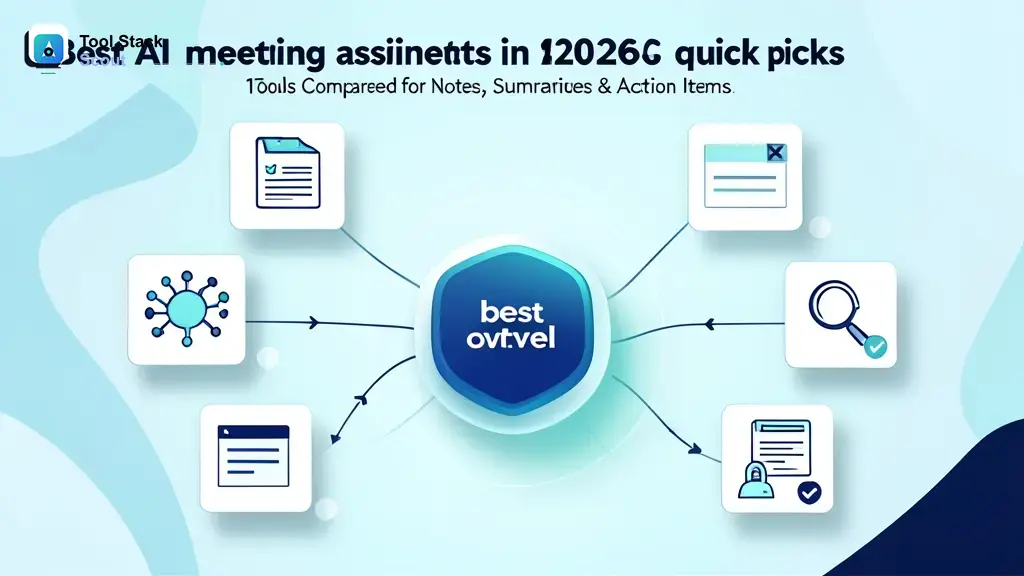
Best AI meeting assistants in 2026: quick picks
If you do not want the full comparison, this shortlist covers the clearest best-fit choices. These tools stand out because they solve different meeting problems well, not because they all do the exact same job.
- Best overall: Avoma for teams that want notes, summaries, agendas, and stronger post-meeting structure.
- Best for simple meeting notes: Otter for fast setup, searchable transcripts, and easy sharing.
- Best for sales and customer calls: Fireflies.ai or Avoma, depending on whether you want broad capture or more guided follow-up.
- Best for collaboration and searchable transcripts: tl;dv for teams that revisit clips, summaries, and call history often.
- Best free starting point: Fathom for solo users and small teams that want quick notes with low friction.
- Best for action-item focused teams: Sembly AI for organizations that care most about tasks, decisions, and meeting minutes.
The main pattern is simple: transcript-first tools are usually easier to adopt, but workflow-first tools often create more value when meetings drive execution. If your biggest problem is missing decisions and next steps, prioritize action-item quality over raw transcription alone.
You can also browse related options in our AI Tools coverage if you are comparing meeting assistants with broader productivity software.
How we evaluated the best AI meeting assistant tools
This ranking focuses on real meeting workflows rather than feature lists in isolation. A good tool should reduce manual note taking, make conversations easier to revisit, and help the next step happen faster.
The most important criteria were transcription quality, speaker recognition, summary usefulness, action-item extraction, searchability, collaboration, and support for Zoom, Google Meet, and Microsoft Teams. We also considered whether a tool typically joins meetings as a visible bot or works in a less intrusive way, because that changes the experience for both internal and external calls.
What separates a good option from a great one is usually not the transcript alone. The stronger tools organize decisions, surface follow-ups, connect meetings to CRM or project workflows, and help teams find past discussions without digging through long recordings.
We also weighed different buyer profiles, from solo professionals who just want clear notes to managers and revenue teams that need shared meeting memory and better follow-through. That is why the best choice changes by use case.
| Tool | Best for | Why it stands out | Main trade-off |
|---|---|---|---|
| best ai meeting assistant 2026 | Teams that need structured notes, summaries, and follow-through across frequent meetings | Best overall strategy is to choose a tool that supports both capture and post-meeting execution | The right pick depends heavily on your workflow, platform stack, and tolerance for bot-based capture |
| AI meeting assistant | Buyers comparing all-around tools for mixed internal and external calls | This category can combine transcription, summaries, search, and collaboration in one workflow | Not every tool is equally strong at action items, coaching, or reusable call knowledge |
| AI meeting note taker | Individuals and small teams that want simple notes with low setup friction | Usually the fastest path to immediate value for everyday meetings | Lighter tools may feel limited if your team later needs deeper workflow automation |
| meeting notes | Users who mainly need a clean record of what was said | Searchable notes remain the easiest feature to adopt across most teams | Notes alone may not solve accountability or follow-up problems after the meeting |
| meeting summaries | Teams that want quick recaps, decisions, and shareable updates | Good summaries save time when stakeholders did not attend live | Summary quality can vary depending on speaker clarity, jargon, and meeting format |
| action items | Operations, managers, and teams that need meetings turned into next steps | Action-item extraction is often the clearest divider between useful and forgettable tools | Task suggestions still benefit from human review for important decisions and commitments |
Comparison table: best AI meeting assistant tools at a glance
In practice, the market breaks into three broad groups. First are lightweight note takers like Otter and Fathom that focus on delivering useful notes quickly. Second are collaboration-heavy tools like tl;dv and Fireflies.ai that make it easier to search, revisit, and share meeting content across a team. Third are workflow-oriented platforms like Avoma and Sembly AI that try to turn meetings into structured operational output.
If you run recurring meetings with several stakeholders, the workflow-oriented group usually creates more long-term value. If you mostly need clear recaps after calls, a lighter tool is often the better fit because adoption tends to be easier.
Detailed reviews of the best AI meeting assistant tools
1. Avoma
Avoma is the strongest overall choice for teams that want their meeting assistant to become part of how work gets organized after the call. It is especially well suited to managers, product teams, founders, and customer-facing teams that need agendas, summaries, searchable history, and clear follow-through.
Its biggest advantage is structure. Instead of stopping at transcription, it fits teams that want meeting prep, note organization, and post-meeting outputs connected in one workflow. That makes it a strong pick when meetings directly affect execution, handoffs, or revenue conversations.
Best for: Teams with frequent recurring meetings and a real need to keep decisions and actions organized.
Main trade-off: It can feel heavier than a basic note taker if you only need occasional transcripts.
2. Otter
Otter remains one of the most approachable options because its core value is simple to understand: capture the conversation, generate notes, and make the meeting searchable later. For many buyers, that straightforward workflow is exactly the point.
It works especially well for internal meetings, interviews, classes, and team calls where preserving what was said matters more than building a complex follow-up system. If you are introducing AI meeting notes for the first time, Otter is often easier to explain and adopt than a more workflow-heavy platform.
Best for: Individuals and teams that want simple meeting notes with low setup friction.
Main trade-off: It is less specialized if you want deeper coaching, pipeline workflows, or more structured execution after the meeting.
3. Fireflies.ai
Fireflies.ai has broad appeal because it covers the core jobs many teams care about: joining calls, capturing transcripts, summarizing discussions, and making meetings searchable later. That makes it a practical choice for organizations with high call volume across departments.
It is often a good fit for sales, customer success, recruiting, and operations teams that want a shared record of conversations without overcomplicating the process. When you care about broad meeting coverage, Fireflies.ai is easy to keep on the shortlist.
Best for: Teams that want a general-purpose AI meeting assistant across many call types.
Main trade-off: The value is highest when your team actually revisits transcripts and summaries rather than storing them passively.
4. tl;dv
tl;dv stands out when your team treats meetings as reusable knowledge instead of one-time events. It is a strong choice for sharing highlights, revisiting moments, and collaborating around what was actually said in a call.
That makes it appealing for product teams, agencies, researchers, and distributed companies that regularly refer back to interviews, demos, feedback calls, or internal discussions. If your meetings feed documentation or decision-making later, tl;dv has a clearer edge than a basic note taker.
Best for: Teams that want clips, searchable insights, and better collaboration around recordings.
Main trade-off: It is less compelling if your team rarely reopens calls after the meeting ends.
5. Fathom
Fathom is one of the most attractive options for people who want fast value with minimal process overhead. It tends to appeal to freelancers, consultants, founders, and small teams that want summaries and action items without adopting a heavier system.
The experience usually feels lighter than enterprise-oriented tools, which is a real advantage when your main goal is saving time right after a call. It is the kind of tool that often sticks because the workflow does not demand much from the user.
Best for: Solo professionals and lean teams that want a low-friction AI note taker.
Main trade-off: It may not be the best long-term fit for larger organizations that need deeper admin controls or more complex cross-team workflows.
6. Sembly AI
Sembly AI is worth considering if your team cares less about the transcript itself and more about extracting tasks, decisions, and meeting minutes. In many environments, that is more useful than a generic smart-notes experience.
It fits project-driven teams, internal operations, and anyone who wants the assistant to turn conversations into clearer outputs. If your current pain is that next steps disappear after meetings, Sembly AI deserves a closer look.
Best for: Action-item driven teams and structured internal meeting workflows.
Main trade-off: Its style can feel more process-oriented than what casual users want.
7. Grain
Grain is a sensible option for teams that want to capture and share useful moments from meetings, especially in customer-facing contexts. It makes the most sense when the recording matters almost as much as the written summary.
Compared with simpler note takers, Grain is better suited to coaching, onboarding, and internal knowledge sharing built around real call moments. That puts it in a similar decision space to tl;dv for some buyers.
Best for: Teams that want to turn customer conversations into shareable internal knowledge.
Main trade-off: It is less differentiated if you only need a quick transcript and recap.
8. Read AI
Read AI is often discussed by teams that want meeting notes plus signals about engagement, participation, or conversation patterns. For managers and meeting-heavy organizations, that can be useful when the goal is improving meetings as well as documenting them.
It is best treated as a more specialized choice. If your team actively works on meeting quality and wants more than standard summaries, it may be worth considering. If not, simpler tools usually win on clarity and adoption.
Best for: Teams interested in both notes and meeting behavior insights.
Main trade-off: Some users may find the extra analysis unnecessary for everyday note taking.
9. MeetGeek
MeetGeek is a reasonable middle-ground option for teams that want automated notes, searchable records, and practical recaps without jumping directly to a heavier meeting intelligence platform. It can fit small and midsize teams that need coverage across typical internal and customer calls.
Its appeal is balance rather than one standout specialty. That can make it a useful contender if your shortlist is still open and you want to test a few workflow styles.
Best for: Small and midsize teams that want a balanced all-around meeting assistant.
Main trade-off: It may not clearly outperform the leaders in either simplicity or advanced workflow depth.
10. Krisp
Krisp is better known for call clarity, but it still enters the conversation when teams care about both audio quality and meeting capture. In noisy environments or remote setups where audio quality is part of the problem, that combination can matter.
It is not the first choice if your main goal is deep meeting intelligence. It is more relevant for users who want cleaner calls first and AI notes as a supporting capability.
Best for: Remote workers who care about audio quality alongside note capture.
Main trade-off: It is not as meeting-workflow focused as the top dedicated assistants in this list.
The practical takeaway is straightforward: choose Avoma for structured follow-through, Otter for the easiest transcript-first workflow, Fireflies.ai for broad cross-team coverage, and tl;dv when recorded conversations become reusable team knowledge.
What to look for in the best AI meeting assistant
Start with transcription and speaker detection, because weak meeting capture affects everything that comes after. If your calls involve multiple accents, fast turn-taking, or technical jargon, small quality differences can become major usability issues over time.
Next, judge the summaries. The best tools do not just compress the transcript. They separate decisions, risks, action items, and follow-ups in a way that saves real time. A polished summary matters less than one your team can actually act on.
Integration support matters just as much as AI output. For most buyers, the baseline is Zoom, Google Meet, and Microsoft Teams. Beyond that, think about where meeting information needs to go next, whether that is a CRM, project tool, document workspace, or internal knowledge base.
Finally, decide whether you prefer a bot-based assistant or a less visible note taker. Bot-based capture is often easier to automate and standardize, but some teams dislike the extra participant in the room. Less intrusive approaches can feel smoother, though setup and behavior may vary by platform.
Best AI meeting assistant by use case
For internal team meetings
Choose Avoma or Sembly AI if internal meetings are where work gets assigned and decisions need to stay visible. These are stronger fits when your problem is not forgetting what was said, but failing to turn discussion into execution.
For sales demos and customer calls
Choose Fireflies.ai, Avoma, or Grain when conversations need to be revisited for coaching, account context, onboarding, or handoffs between teams.
For solo professionals and freelancers
Choose Fathom or Otter. They are easier to start with, easier to explain, and usually better for people who want value without redesigning their workflow.
For teams that want a free starting point
Otter and Fathom are often the most practical places to begin, depending on what is available in your region and account tier. The better choice is usually the one your team will actually keep using consistently.
For research, interviews, and reusable meeting knowledge
Choose tl;dv or Grain if the meeting still matters after it ends. These tools are stronger when your team clips, tags, reviews, and reuses conversations for research, product discovery, or internal education.
If you are unsure, use this shortcut: pick a transcript-first tool for recall, a collaboration-first tool for shared knowledge, and a workflow-first tool for stronger post-meeting accountability.
Pros and cons of using an AI meeting assistant
The upside is clear: less manual note taking, better recall, and faster follow-up after meetings. Teams also gain a searchable memory layer, which becomes more valuable as meeting volume grows.
The downside is that output quality still varies. Some summaries miss nuance, action items can be too generic, and transcription quality can drop in crowded or technical conversations. There is also an adoption risk: if the tool adds too much friction or too many notifications, people stop trusting it.
The best results usually come when the assistant is tied to a clear job, such as documenting weekly syncs, capturing sales follow-ups, or creating interview records for hiring. When the use case is vague, the tool is easier to abandon.
Which AI meeting assistant is best for you?
For most teams, Avoma is the best choice when meetings drive decisions, handoffs, and accountability. Choose it if you want the meeting assistant to improve the workflow around the meeting, not just document it.
Choose Otter if your main need is straightforward notes and searchable transcripts with minimal complexity. Choose Fireflies.ai if you want broad meeting coverage across departments and a practical balance between simplicity and team usefulness. Choose tl;dv if reviewing and sharing meeting moments is central to how your team works.
If you are still deciding, use this rule: buy the lightest tool that reliably solves your actual post-meeting problem. If your problem is memory, start with Otter or Fathom. If your problem is collaboration, choose tl;dv or Fireflies.ai. If your problem is execution after the meeting, choose Avoma or Sembly AI.
For readers also comparing broader assistant categories, our guide to the top personal assistant tools can help frame where meeting assistants fit in a larger productivity stack.
FAQ about AI meeting assistants
What is the best AI meeting assistant in 2026?
For most teams, Avoma is the best overall pick because it balances note capture with structure, collaboration, and follow-through. If you want the simplest starting point, Otter and Fathom are easier first choices.
What is the best free AI meeting note taker?
Otter and Fathom are common starting points for users who want to try AI meeting notes without much setup. The better choice depends on your workflow, meeting volume, and whatever limits apply to your account tier.
Can AI meeting assistants work for in-person meetings?
Many can, depending on device setup and how audio is captured. In-person use is usually more sensitive to microphone quality, room noise, speaker overlap, and placement than online meetings.
Do all AI meeting assistants join calls as bots?
No. Some commonly join as visible participants, while others support less intrusive capture methods. The better option depends on your team’s privacy preferences, external meeting etiquette, and platform setup.
Are AI meeting summaries accurate enough to trust?
They are useful enough to save time, but not perfect enough to treat as unquestioned records in every situation. For important decisions, client commitments, or technical discussions, human review still matters.
What matters more: transcript quality or summary quality?
Transcript quality comes first because weak source capture leads to weak summaries. Once basic accuracy is good enough, summary structure and action-item usefulness become the real differentiators.