If you want one quick recommendation, Otter is still the safest starting point for most people because it balances live transcription, searchable meeting history, summaries, and broad familiarity. Fireflies is a strong pick for teams that care more about integrations and post-meeting workflow. Fathom is often one of the easiest options to try if you mostly live in Zoom or Google Meet. Granola and Bluedot stand out if you want a bot-free experience that feels less intrusive in client calls or internal leadership meetings.
The harder truth is that there is no single winner for every workflow. The right choice depends less on headline features and more on how you meet: Zoom-heavy sales calls, Microsoft Teams check-ins, Google Meet collaboration, in-person conversations, or sensitive meetings where a recording bot creates friction. This guide is built to help you choose quickly, with practical trade-offs instead of generic feature lists. If you compare productivity software often, Tool Stack Scout keeps that same buyer-first approach across its AI tools.
Best Ai Meeting Note Taker
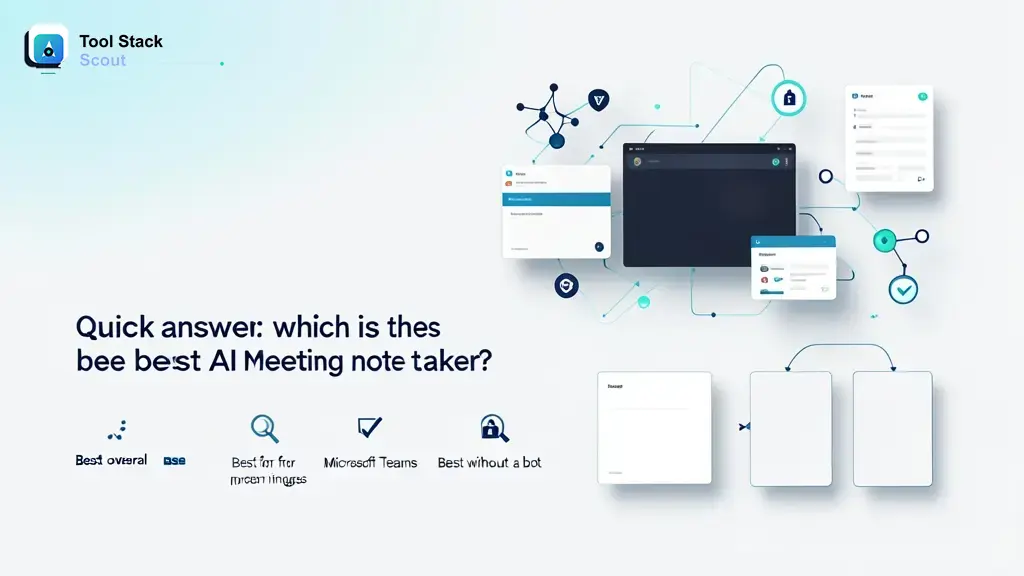
Otter is the safest all-around starting point, Fireflies is stronger for workflow automation, Fathom is easy to test, and Granola or Bluedot make more sense if you want notes without a visible bot joining every call.
Quick answer: which is the best AI meeting note taker?
For most people, Otter is the best overall pick because it covers the full job well: live transcription, speaker labeling, searchable notes, and fast recap value after the meeting ends. It is not perfect, but it is broad enough to suit managers, founders, recruiters, consultants, and knowledge workers who need one dependable tool rather than a highly customized stack.
If your priority is workflow automation after the call, Fireflies is often the better choice. It is especially appealing when your team wants meeting notes to flow into Slack, CRM systems, or a wider follow-up process. If you want the simplest free or low-friction starting point, Fathom is usually one of the easiest tools to test in a real workflow. If you want notes without a bot entering the meeting, Granola is one of the clearest names to shortlist.
- Best overall for most people: Otter
- Best for free or easy trial use: Fathom
- Best for Microsoft Teams-centered workflows: Fireflies or Avoma
- Best without a bot: Granola
- Best for sales and call review depth: Avoma
A good shortcut is this: if you mainly need reliable notes, choose Otter; if you need notes plus systems automation, choose Fireflies; if you want simple summaries with minimal setup, choose Fathom; if bot-free matters most, start with Granola or Bluedot.
How we evaluated the best AI meeting note taker tools
The most important test is not whether a tool can produce a transcript. Most of them can. What matters is whether the notes are useful five minutes after the call and still useful three weeks later. That means the tool should capture the right speakers, summarize the real decisions, extract action items that are not vague, and make it easy to search or share what happened.
We also looked at workflow fit. Some tools are built around a bot joining calls automatically, which can be great for consistency and post-call automation. Others are moving toward bot-free capture, which tends to feel better in sensitive meetings, recruiting calls, or leadership conversations where attendees do not want another participant in the room. Neither model is universally better; the right answer depends on your meeting culture.
In practice, the strongest options usually perform well on six things: transcription quality, speaker recognition, summary usefulness, action item extraction, integrations, and meeting friction. A tool can have average transcript accuracy and still be valuable if its recap is excellent. On the other hand, a tool can generate polished summaries but still fail if it interrupts meetings, misses speakers, or makes sharing harder than taking notes manually.
| Tool | Best for | Why it stands out | Main trade-off |
|---|---|---|---|
| best ai meeting note taker | Readers who want a fast shortlist before comparing specific products | Works as the broad starting point for evaluating note quality, summaries, and meeting workflow fit | It is a search category, so you still need to narrow choices by platform and bot preference |
| AI meeting note taker | People focused on automatic notes, recaps, and action items after calls | Highlights the tools built to turn conversations into usable notes with less manual cleanup | Performance can vary based on speaker clarity, platform support, and meeting style |
| AI meeting assistant | Teams that want notes plus workflow help such as follow-up, search, and collaboration | Often goes beyond transcription by organizing tasks, summaries, and shared meeting memory | Assistant-style tools may add complexity if you only need simple notes |
| meeting notes | Individuals who mainly want readable summaries instead of full conversation intelligence | Best fit when clarity and speed matter more than deep analytics or automation | Simple note workflows may feel limited for teams with heavier reporting or CRM needs |
| meeting transcription | Users who need a searchable record of what was said in recurring meetings | Strongest when preserving discussion history matters as much as producing a recap | A transcript alone is not enough if action items and decisions need structure |
| real-time transcription | People who want live capture during meetings or interviews | Useful for following fast conversations and reducing manual note taking in the moment | Live output can still need editing, especially in noisy or overlapping discussions |
The best AI meeting note taker tools compared
1. Otter
Otter remains the easiest overall recommendation because it does not force a niche use case. It works best for people who attend many recurring meetings and want a dependable place to capture transcripts, summaries, and discussion history. Managers and founders usually appreciate how quickly it turns a meeting into something reviewable without extra cleanup.
Its biggest strength is balance. Otter is rarely the most specialized option in any one category, but it is often the most complete choice for general business use. If your team wants a shared workspace for meeting memory rather than just one-off transcripts, this is where it stays competitive.
Best fit: General team meetings, manager one-on-ones, recruiting screens, and project syncs.
Main trade-off: If you need deeper automation or a bot-free experience, another tool may fit better.
2. Fireflies
Fireflies is a stronger pick when your meeting notes are only the start of the workflow. Sales teams, customer success teams, and operations-heavy organizations often care less about the transcript itself and more about what happens next: updating records, sharing decisions, tagging moments, and pushing takeaways into other systems.
That makes Fireflies appealing for team environments where meetings need to feed a process. It is less about polished note taking and more about making conversations operational. If your team regularly asks how to turn a call into follow-up, Fireflies makes more sense than a simpler note-first tool.
Best fit: Teams that need integrations, shared processes, and searchable call history.
Main trade-off: The bot-based model can feel awkward in some external or sensitive meetings.
3. Fathom
Fathom is one of the easiest tools to recommend for people who want to try AI meeting notes without turning setup into a project. It is especially good for solo professionals, freelancers, and smaller teams that want clean summaries and useful highlights without a lot of configuration.
Its appeal is speed. You join the meeting, get the recap, and move on. That simplicity is the reason many people prefer it over more enterprise-shaped products. If you want good notes without babysitting another platform, Fathom is usually worth testing first.
Best fit: Solo users, consultants, lightweight team meetings, and fast recap workflows.
Main trade-off: Not the first pick if your organization needs deeper admin controls, analytics, or sales intelligence.
4. Avoma
Avoma is more than a note taker. It is usually a better fit for revenue teams, customer-facing teams, and leaders who want structure around meetings, not just summaries after the fact. In practice, that can include agendas, call insights, and more operational visibility across conversations.
Where Otter feels broad and Fathom feels simple, Avoma feels process-driven. That is a strength if meetings are tied to pipelines, renewals, coaching, or onboarding. It is less compelling if you simply want a lightweight personal note taker.
Best fit: Sales, customer success, onboarding, and coaching-heavy organizations.
Main trade-off: It can be more tool than a solo user or small team actually needs.
5. Granola
Granola has gained attention because it approaches the problem differently. Instead of sending a visible bot into the meeting, it focuses on a bot-free experience that feels more private and more natural for people in the conversation. That matters more than it sounds, especially in executive meetings, investor calls, interviews, and sensitive client discussions.
The best reason to choose Granola is not feature breadth. It is meeting comfort. If your team avoids note takers because bots create awkwardness, this style of tool can unlock adoption better than a more capable but more intrusive alternative.
Best fit: Bot-free note taking, leadership calls, recruiting, and sensitive conversations.
Main trade-off: Fit can depend on device and platform support.
6. Bluedot
Bluedot is another strong option for people who want recording and note capture without the classic meeting bot joining the call. That makes it attractive for Google Meet-heavy teams and organizations that want cleaner meeting etiquette without losing searchable recaps.
It is a practical choice when your biggest objection to other note takers is social rather than technical. If people on your calls keep asking who the extra participant is, a tool like Bluedot may solve the adoption problem better than a feature-rich bot-based app.
Best fit: Bot-free or lower-friction recording, especially for browser-based meeting workflows.
Main trade-off: Suitability depends on your platform mix and recording preferences.
7. Sembly
Sembly is often worth considering if you want a more structured assistant feel around meetings, including summaries, tasks, and searchable history. It can work well for teams that want a middle ground between general meeting notes and more operational meeting intelligence.
Its value shows up when teams need recurring recaps and follow-up support, but do not necessarily need a full sales-conversation platform. It sits in a practical middle tier: more structured than basic note tools, less specialized than a revenue tool.
Best fit: General business teams that want structured summaries and tasks.
Main trade-off: It may not be the cleanest choice for bot-free workflows or ultra-simple use.
8. Zoom AI Companion
If your organization already works almost entirely inside Zoom, the native option may be the most practical. Zoom’s built-in AI features can reduce the need to add another vendor and can feel easier to govern within an existing workplace setup.
This is not always the best standalone meeting note taker, but it is often one of the best workflow decisions for Zoom-native teams. When convenience and platform consolidation matter more than best-in-class note features, native usually wins.
Best fit: Zoom-first organizations that want fewer extra tools.
Main trade-off: Less attractive if your meetings happen across multiple platforms.
9. Microsoft Teams Copilot or Teams-native AI features
For Microsoft-heavy organizations, staying inside Teams can be the cleanest answer. Native note-taking and recap features can reduce adoption friction, especially for companies already standardized on Microsoft accounts, security policies, and internal collaboration tools.
This route makes the most sense when your main goal is not to find the most feature-rich note taker on the market, but to keep work inside the tools your company already uses. The trade-off is that native tools may feel less flexible than independent specialists.
Best fit: Microsoft-first workplaces and internal collaboration in Teams.
Main trade-off: Dedicated meeting tools may offer deeper specialized workflows.
10. Google Meet paired with a dedicated note tool
Google Meet users often get the best results by pairing Meet with a dedicated AI meeting assistant rather than relying only on what the meeting platform offers natively. In practice, Fathom, Otter, Fireflies, and Bluedot are usually more relevant here than a Google-only solution.
If your company is already deep in Google Workspace, the real decision is not which Google tool to use. It is whether you want a bot, a bot-free recorder, or a lightweight recap app. That framing usually leads to a better buying decision.
Takeaway: Most readers should start with Otter, Fireflies, Fathom, or Granola. They represent the clearest differences in workflow style: balanced, automated, simple, and bot-free.
Best AI meeting note taker by use case
For Zoom meetings
If your calendar is mostly Zoom, start with Fathom if you want ease, Otter if you want broader meeting memory, and Zoom’s own AI features if your company prefers staying inside one platform. Teams with high call volume should still compare Fireflies and Avoma if follow-up and review matter as much as the notes themselves.
For Microsoft Teams
For Teams-heavy organizations, the cleanest choices are usually Teams-native AI features, Fireflies, or Avoma. Native works best when governance and simplicity matter most. Fireflies is stronger if you need cross-tool workflows. Avoma makes more sense when customer calls, coaching, and structured review are central to the job.
For Google Meet
Google Meet users often benefit from Fathom, Otter, Fireflies, or Bluedot. The decision usually comes down to whether you want quick summaries, deeper workflow automation, or a less intrusive note-taking setup. Bluedot is especially worth considering if bot-free or low-friction capture is a priority.
For in-person meetings
In-person note taking is where many browser- or bot-centric tools become less convenient. Otter is still a practical option because it is widely used for live transcription and searchable notes. Granola may also appeal if your workflow centers on personal note capture rather than sending a bot into scheduled calls.
For bot-free meetings
If you specifically want to avoid a visible meeting bot, Granola is the clearest starting point, with Bluedot also worth shortlisting. This is usually the right path for recruiters, consultants, founders, and executives who want fewer meeting objections and a more natural conversation flow.
Takeaway: Pick by meeting environment first, not by popularity. Platform fit and bot tolerance will narrow the field faster than a long feature checklist.
What to look for before choosing an AI note taker
Transcription quality and speaker recognition
You do not need flawless transcription for a tool to be useful, but you do need enough accuracy that names, decisions, and next steps survive the recap. Speaker recognition matters even more in cross-functional meetings where ownership is important. A transcript that captures words but confuses speakers creates cleanup work later.
Summaries, action items, and follow-ups
The best tools do more than compress the conversation into a paragraph. They separate decisions from discussion, pull action items into a scannable format, and make follow-up easier to send. In real work, that output matters more than whether the transcript reads perfectly line by line.
Integrations with Zoom, Teams, Meet, Slack, and CRM tools
If meeting notes need to travel into other systems, integration quality matters. Fireflies and Avoma become more attractive here because they fit better into team workflows. If you only need a personal memory aid, heavy integrations are less important and may just add complexity.
Privacy, permissions, and meeting etiquette
Always think about how a tool appears in the room. Some teams are comfortable with bots joining every call. Others are not. Sensitive meetings, interviews, and client conversations often benefit from bot-free options. Also consider who can access transcripts, how recordings are shared, and whether your organization prefers native platform tools for governance reasons.
If you are still deciding how this category fits into a broader assistant workflow, our guide to the top personal assistant tools is a useful companion read.
Are AI note takers actually useful for meetings?
Yes, especially when meetings generate too much information to capture manually in real time. The biggest win is not typing less during the call. The biggest win is having a structured record afterward: who said what, what was decided, and what needs to happen next. That is where these tools save real time.
They are most useful for recurring status meetings, client calls, interviews, discovery calls, internal planning, and one-on-ones where follow-up matters. They are less magical in highly technical discussions, noisy environments, or fast back-and-forth conversations with overlapping speakers. In those settings, you should expect to review and lightly edit the recap rather than trust it blindly.
A good AI meeting note taker does not replace judgment. It gives you a stronger first draft of the meeting record.
Can ChatGPT transcribe meeting notes?
ChatGPT can help summarize meeting transcripts, rewrite rough notes, turn discussion points into action items, and create follow-up emails. If you already have a transcript or recording from another source, it can be useful for cleanup and synthesis.
What it generally is not, by itself, is a complete live meeting note-taking workflow for business meetings. Dedicated tools are better at joining or capturing calls, separating speakers, organizing searchable meeting history, and automatically generating structured recaps at scale.
Use ChatGPT when you already have meeting content and want help turning it into something polished. Use a dedicated note taker when you need capture, transcription, summary, and retrieval in one workflow.
FAQ about AI meeting note takers
Does Microsoft have an AI note taker for meetings?
Microsoft offers AI-powered meeting recap features within its ecosystem, especially for Teams-centered organizations. For many companies, that native route is the simplest place to start, although dedicated tools may still offer more specialized note workflows.
Is Otter AI completely free?
Otter usually offers a free entry point, but free plans in this category tend to come with limits on usage, features, exports, or meeting length. Treat the free version as a trial path rather than assuming it covers a full team workflow indefinitely.
What is the best AI meeting note taker without a bot?
Granola is one of the strongest bot-free options to start with, and Bluedot is also worth considering. If your team dislikes extra participants appearing in meetings, these tools are often a better cultural fit than classic bot-based assistants.
What is the best AI meeting note taker for iPhone or Android?
There is no single universal winner for mobile because mobile fit depends on whether you need live note capture, recording, or just access to summaries after the meeting. Otter is a practical shortlist candidate for mobile-friendly access, but your best choice depends on how often you actually run meetings from your phone.
Final verdict
If you want the best ai meeting note taker for most people, start with Otter. It is the most balanced pick when you want solid transcription, useful summaries, and a dependable shared meeting record without having to overthink the setup.
Choose Fireflies if your real goal is workflow automation after the meeting. Choose Fathom if you want a simple starting point that is easy to try. Choose Granola if your number one rule is avoiding a meeting bot. Choose Avoma if meetings are deeply tied to sales, onboarding, or coaching.
If you only want one decision rule, use this: pick Otter for general use, Fireflies for systems-heavy teams, Fathom for simplicity, and Granola for bot-free comfort. That split reflects real workflow differences, and it is the fastest way to choose well without overbuying.
For more buyer-focused software comparisons, you can also explore the main Tool Stack Scout library.