Principles of building ai agents come down to one rule: build for reliable task completion, not maximum autonomy. Good agents have narrow job, clear instructions, access to right tools and data, limited memory, explicit stopping rules, and evaluation built in from start.
In practice, that means an AI agent should do more than answer text like chatbot, but less than roam freely like fully autonomous system. Most useful agents sit in middle: they reason over context, call tools, retrieve information, update state, and return result within controlled workflow. If you are exploring modern AI systems on Tool Stack Scout, this guide gives practical framework for deciding what to build and what to avoid.
Quick answer: if task can be solved with single prompt or fixed automation, do not build agent. Build agent only when task needs conditional decisions, tool use, or multi-step execution across changing context.
Principles Of Building Ai Agents
Useful AI agents combine model reasoning with tools, retrieval, memory, and control logic to finish bounded tasks reliably. Best results come from narrow scope, strong guardrails, and evaluation before adding more autonomy.
What building AI agents means
An AI agent is system that uses model to pursue goal through sequence of decisions. It can inspect input, choose next action, call tool, retrieve data, write output, and sometimes revise plan based on result. Core idea is not AI that talks. Core idea is AI that acts within controlled environment.
That makes agent different from chatbot and different from traditional workflow.
- Chatbot: usually responds to message with text. It may be smart, but it often stays inside conversation.
- Workflow: fixed sequence of steps. Logic is mostly deterministic and prewritten.
- Agent: dynamic system that can choose among actions based on context and intermediate results.
Why this matters now: modern LLMs are good enough at tool selection, summarization, extraction, code generation, and plan revision that teams can wrap them around APIs, knowledge stores, and business processes. That creates real leverage, but only if control layer is designed well. For broader landscape, see best AI agents for examples of how products package these patterns.
Practical takeaway: call something an agent only when it has decision-making plus action-taking, not because it has chat UI.
| Topic | Key point | Why it matters | Reader takeaway |
|---|---|---|---|
| What building AI agents means | Agent combines model reasoning with action, state, and control flow rather than producing one-off text replies | It helps you separate true agent use cases from simple chat or automation problems | Only use agent architecture when task needs branching decisions or tool-driven execution |
| Core principles of building AI agents | Start narrow, keep components modular, use tools for real-world actions, and add memory only when needed | These choices reduce cost, hallucination, and hard-to-debug complexity | Design smallest reliable system first, then expand scope after evaluation |
| Core building blocks of an AI agent | Most agents need model, prompt layer, tools, memory or state, and orchestration logic | Breaking system into parts makes testing, replacement, and iteration much easier | Map each component before you write code or choose frameworks |
| Common agent patterns | Single-loop, retrieval-augmented, tool-using, and multi-agent designs solve different classes of work | Wrong pattern creates unnecessary latency, cost, and reliability problems | Choose simplest pattern that matches task and trust requirements |
| How to design agent workflow step by step | Define goal, inputs, tools, control rules, fallback paths, and evaluation criteria before launch | Agent quality depends more on workflow design than on model choice alone | Write success criteria and stopping rules first; prompts come after |
Many teams make early mistake here: they treat model choice as main architectural decision. It is not. Most failures come from weak task definition, bad tool contracts, poor retrieval, or missing evaluation. Model matters, but system design matters more.
If you want concrete examples across business and consumer settings, AI agents examples shows where these patterns become useful and where they turn into overkill.
Core principles of building AI agents
Strong agent systems follow few repeatable principles.
- Start with narrow, useful task. Good first agent handles one workflow end to end: triage support ticket, summarize research packet, extract fields from contracts, or generate pull request review draft.
- Keep models, prompts, and tools modular. Do not bury business logic inside giant system prompt. Separate instructions, policies, tool schemas, and state handling.
- Use tools for action, not prompting alone. If agent needs current data, database lookup, file read, calculator, browser, or API call, give it proper tool. Do not ask model to pretend data.
- Add memory only when task needs it. Persistent memory sounds powerful, but it often creates stale context and privacy risk. Retrieval over source documents is safer for many use cases.
- Prefer explicit control over open-ended autonomy. Loop limits, approval gates, allowed tools, and stop conditions matter more than impressive demos.
- Design for observability. Log prompts, tool calls, retrieved chunks, outputs, errors, and user corrections. If you cannot inspect behavior, you cannot improve it.
- Evaluate against task outcomes. Measure success rate, error rate, latency, cost, and recovery behavior. Sounded smart is not metric.
Decision rule: if you cannot define success for task in concrete terms, you are not ready to build agent yet.
Core building blocks of an AI agent
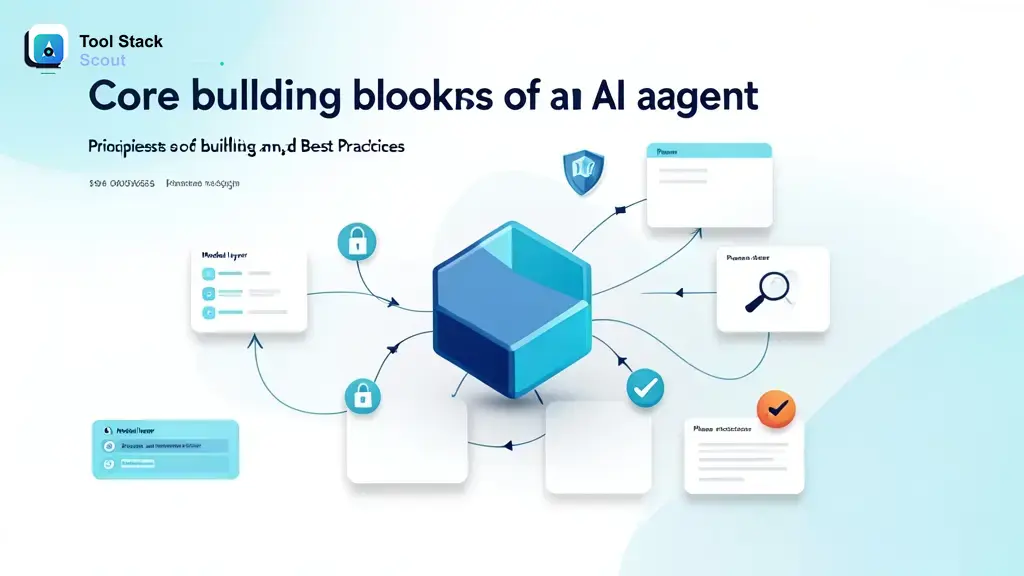
Most agents reduce to five layers. Once you can name them, architecture gets clearer.
1. Model layer
This is reasoning engine. Model interprets instructions, decides next step, generates structured output, or selects tool. Choice depends on task shape: coding, extraction, long-context reading, classification, or multi-step planning. Bigger model is not always better. Small or mid-tier model may be enough for bounded operations with strict schemas.
Best-fit rule: choose cheapest model that consistently completes task at target quality.
2. Prompt and instruction layer
This layer defines role, task, constraints, formatting, tool policies, and escalation rules. Treat prompts as operational logic, not copywriting. Good prompt tells agent what success looks like, what tools exist, when to ask for clarification, and when to stop.
Common mistake: cramming hundreds of lines of mixed policy, examples, and edge cases into one prompt with no versioning. Better approach: modular instructions plus reusable templates.
3. Tools and external actions
Tools turn model from language engine into working system. Examples: search index lookup, CRM update, code execution, calendar action, document parser, or web request. Each tool should have clear input schema, permission boundary, timeout, and error response.
Practical rule: design tool interfaces for machine reliability, not human convenience. Short arguments, strong validation, predictable outputs.
4. Memory and state
State means what agent knows during current run: user input, tool results, decisions, and partial outputs. Memory means what persists across runs: preferences, prior tasks, saved entities, or learned artifacts. Many systems need state. Far fewer need long-term memory.
Use persistent memory only when user benefit is obvious and stale-data risk is acceptable.
5. Orchestration and control flow
This layer manages loop. It decides when to call model, when to call tools, when to retry, when to branch, when to ask human, and when to stop. Orchestration can be simple chain, state machine, planner-executor pattern, or event-driven workflow.
Real takeaway: orchestration is where reliability lives. Agent without control flow is demo, not product.
Common agent patterns
Most useful systems fit one of four patterns.
Single-agent loop
One model receives task, reasons, uses tool if needed, and repeats until done or stopped. Good for lightweight research, drafting, issue triage, and operational assistants.
Use when task is bounded and tool count is small.
Retrieval-augmented agent
Agent pulls relevant documents or chunks from knowledge base before answering or acting. This is often better than storing lots of user or company data inside long-term memory, because retrieval stays grounded in source material.
Good for policy assistants, document Q&A, study systems, legal and compliance drafting support, and internal knowledge workflows.
Tool-using agent
Agent works through APIs and services: create ticket, run query, update spreadsheet, compile code, send summary, or trigger automation. This is where agents start producing operational value.
Use when task depends on current external state or needs action, not only text.
Multi-agent system
Several agents split roles such as planner, researcher, coder, critic, or reviewer. This can help on complex tasks, but cost and failure points rise fast. In many cases, one well-designed agent with tool calls beats team of agents.
Use only when role separation creates clear quality gain you can measure. For builder-focused product examples, Manus AI agents is useful reference point for how agent products frame autonomy and execution.
Decision rule: start with single agent plus retrieval or tools. Move to multi-agent only after bottleneck is proven.
How to design agent workflow step by step
Good workflow design matters more than agent branding. Build in this order:
- Define task and user outcome. Write one sentence for job agent must complete.
- List inputs. What user provides, what system already has, and what agent may retrieve.
- Define success criteria. What counts as correct, useful, safe, and complete.
- Map needed tools and data sources. Include permissions, schemas, and failure cases.
- Choose control flow. Single pass, loop, planner-executor, approval gate, or state machine.
- Set stopping rules. Max tool calls, max turns, confidence thresholds, and escalation triggers.
- Add fallback paths. Ask user for clarification, hand off to human, or return partial result with caveat.
- Instrument everything. Track prompts, retrieval, tool calls, cost, latency, and user corrections.
- Evaluate with test set. Use realistic tasks, not cherry-picked demos.
- Iterate smallest weak point first. Improve retrieval, tool contract, prompt, or routing before changing entire stack.
Example workflows make this concrete:
- Writing: agent retrieves brand guidelines, outlines draft, cites source snippets, and sends final draft for editor approval.
- Coding: agent reads issue, inspects repository files, proposes patch, runs tests, and asks for human merge review.
- Study: agent pulls lecture notes, creates practice questions, explains weak areas, and updates learner profile only after user confirmation.
- Long-document work: agent chunks report, retrieves relevant sections for each question, compares passages, and outputs summary with references.
Practical takeaway: write workflow as system diagram or numbered runbook before you write prompt. That forces clarity on actions, boundaries, and failure handling.
Memory, context, and retrieval done right
Memory gets overused in agent design because it sounds like intelligence upgrade. Often it is wrong tool.
Short-term context
This is current conversation, task state, retrieved passages, recent tool outputs, and temporary notes. It supports active work. Every agent needs some form of this.
Persistent memory
This stores information across sessions: user preferences, account details, project state, approved drafts, or repeated patterns. It can improve experience, but only if stored data is accurate, current, and relevant.
Retrieval
Retrieval fetches source information when needed from document store, database, or search index. In many production systems, retrieval beats memory because it is easier to update, audit, and constrain.
Use retrieval when:
- knowledge changes often
- you need grounding in source documents
- user trust depends on traceability
- storing persistent memory adds privacy or stale-data risk
Use persistent memory when:
- preference continuity creates obvious user value
- same entities reappear across tasks
- you can validate and expire stored facts
Bad memory design causes three common failures: wrong facts get reused, irrelevant history pollutes current task, and sensitive data gets retained too freely. For most teams, retrieval-first design is safer default.
Decision rule: if agent can fetch truth from source at runtime, do that before storing more memory.
Reliability, safety, and evaluation
Production agents fail in predictable ways. Good design assumes failure and contains it.
Common failure modes
- hallucinated facts or invented tool results
- wrong tool choice
- infinite or wasteful loops
- bad retrieval leading to confident wrong answer
- formatting or schema errors
- state loss between steps
- unsafe actions from ambiguous instructions
Guardrails that reduce risk
- strict tool schemas and validation
- role-based tool permissions
- max step and timeout limits
- human approval for high-impact actions
- retrieval filters and source ranking
- prompt instructions for uncertainty and escalation
- separate system policies from user content
How to evaluate agent performance
Evaluation should test outcome, not style. Useful metrics depend on task, but common ones include:
- task completion rate
- accuracy or correctness on labeled set
- tool success and tool misuse rate
- latency and cost per successful run
- fallback and recovery rate
- user correction rate
- human review accept rate
Run offline tests first, then shadow mode, then limited rollout. If agent touches customer records, code, payments, or external actions, require approval gates until data proves reliability.
Practical takeaway: evaluate each layer separately. Test retrieval quality, tool behavior, and final answer quality, not only end output.
Best practices for building useful agents
- Prefer simple systems before autonomous complexity. Prompt plus retrieval plus one tool often beats ambitious general agent.
- Treat prompts like product logic. Version them, review them, and test them.
- Instrument everything. Logs turn black box into debuggable system.
- Separate reasoning from execution. Let model decide, but validate before action.
- Design for handoff. Good agent knows when to ask user or human operator.
- Use structured outputs. Schemas reduce downstream breakage.
- Optimize for task success, not agent hype. Users care about finished work, not architectural label.
For teams comparing agent builders and automation-first products, coverage in Droven.io AI automation tools helps show where agent logic overlaps with workflow automation and where it should stay separate.
Mistakes teams make when building AI agents
- Overusing memory. They store too much and create stale, confusing context.
- Giving too much autonomy too early. Agent acts before trust is earned.
- Skipping evaluation until production. Then failures become customer-facing.
- Using one prompt to do everything. Hard to debug, hard to improve.
- Ignoring user trust. Users need visibility into what agent did and why.
- Choosing multi-agent setup for status, not need. More agents often means more latency and more error paths.
- Forgetting non-agent alternatives. Many jobs fit classic automation or plain assistant better.
If environment is mostly deterministic, fixed workflow may be stronger choice than agent. Example: home device routines usually need explicit automation rules more than open-ended agent behavior, which is why use-case fit matters in areas like best virtual assistant for home automation.
Decision rule: if human operator would solve task with same checklist every time, workflow engine may beat agent.
Final framework for applying these principles
Use this checklist for first build:
- Is task narrow and valuable?
- Does it require decisions, not only fixed steps?
- Does it need tools or retrieval?
- Can success be measured clearly?
- Are stop rules and fallback paths defined?
- Can risky actions be gated or approved?
- Do you have logs and evaluation set?
When not to build agent:
- single prompt already solves job
- workflow is fully deterministic
- source data is too unreliable
- errors are high-cost and no review layer exists
- team cannot monitor or evaluate outputs
Final decision rule: build agent only when task needs dynamic judgment plus action under controlled boundaries. Otherwise, keep system simpler. That is best way to apply principles of building AI agents in real products: start small, ground agent in tools and retrieval, measure outcomes, and add autonomy only after reliability is proven.
If you want more options in this space, browse broader AI tools coverage for adjacent agent and automation categories.